
Twitter monitoring, now called X monitoring, finds public posts that mention your brand, product, competitors, or market terms.
X already shows direct @mentions in Notifications. The posts you miss often use a plain brand name, domain, misspelling, product feature, or competitor name without tagging your account.
This guide shows how to track X mentions, reduce weak matches, and give useful posts a clear next step.
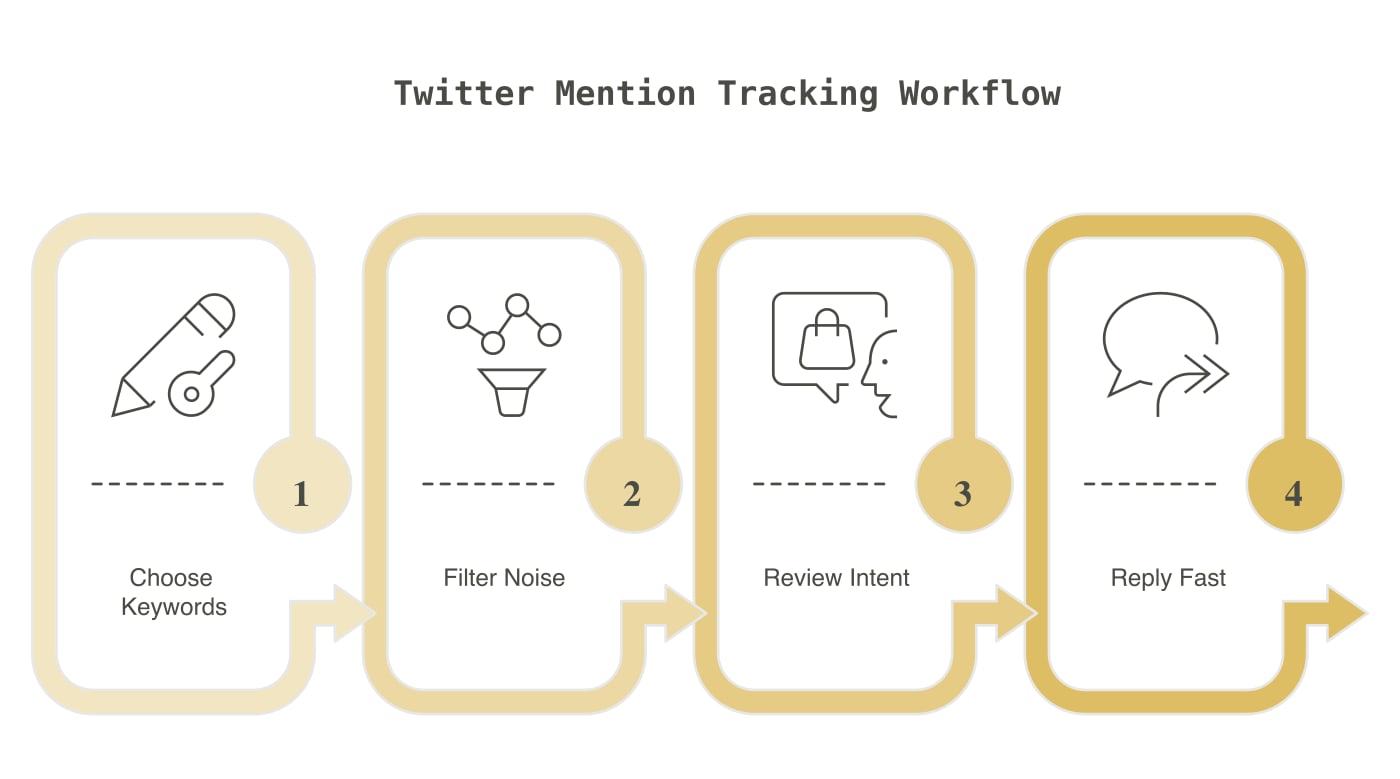
What to track on X
An X mention is any public post that refers to a term you track. It can be a direct account tag, a plain-text brand name, a product URL, a founder name, a competitor, or a phrase tied to your market.
Build three keyword groups:
- Brand terms: Company name, product name, domain, account handle, founder name, and common misspellings.
- Competitor terms: Close competitor names, domains, “[competitor] alternative,” “[competitor] pricing,” and “[competitor] vs.”
- Market terms: Specific problem phrases, product category phrases, and recommendation questions that match your product.
Brand monitoring comes first. It catches customer questions, complaints, praise, wrong product facts, and posts from people who forgot to tag your account. Competitor and market tracking add research and occasional lead discovery.
Avoid short or common words unless you can add context. A search for “buffer,” “linear,” or “mention” will find many unrelated posts. Pair the name with a product term or exclude common wrong meanings.
X has its own Advanced Search. It can filter posts by exact phrase, excluded word, hashtag, language, account, and date. Use it to test keywords before you add them to a paid product.
Try searches such as:
| Goal | Search example |
|---|---|
| Exact brand name | "Acme Monitor" |
| Brand without job posts | "Acme Monitor" -hiring -jobs |
| Two name versions | "Acme Monitor" OR "AcmeMonitor" |
| Competitor complaint | "Product A" (broken OR expensive OR support) |
| Recommendation post | "social listening" (recommend OR alternative) |
| Posts to your account | to:acmemonitor |
Open the results and note unrelated words, common spam, and useful phrases. Add exclusions before you turn on alerts.
How to set up low-noise Twitter monitoring
Poor keyword settings create poor feeds. Start with 5 to 15 focused terms and review them for one week.
Keep each alert tied to one job.
Direct brand names and account handles need fast review. Competitor names can go to a daily view. Broad market terms can go to a weekly research view. This stops every match from becoming a notification.
Add context to common terms.
Use a product category, feature, location, or account name with a broad word. Exclude repeated sources of junk, such as job posts, giveaways, crypto spam, unrelated sports terms, or copied news headlines.
Filter posts by meaning.
Keyword matching alone cannot tell whether a post needs action. A good filter places clear questions, complaints, product feedback, comparisons, and wrong facts above jokes, spam, and unrelated matches.
Mentionkit tracks brand, keyword, and competitor posts on X with other supported platforms. Its AI filtering puts actionable mentions first, then users can review, assign, reply to, and report on them.
No social monitoring tool catches every post. Platform rules, deleted content, private accounts, and access limits can create misses. Keep one manual X search for your exact brand name and compare it with your alert feed each week.
Use alert speed that matches the action.
Send account tags, direct questions, and customer complaints to email or Slack. Keep research terms in the dashboard. A price comparison from yesterday can still be useful. An active support complaint needs faster review.
Check X beside other sources.
X posts are short. A user can give more detail in a Reddit thread, forum post, YouTube comment, GitHub issue, or LinkedIn post. Cross-platform tracking helps you find the full problem and see whether the same theme appears elsewhere.
For wider setup, read the brand mention monitoring guide. For alert-only details, see X keyword alerts.
How to review and reply to X mentions
Give every mention one outcome: reply, assign, save, report, or skip.
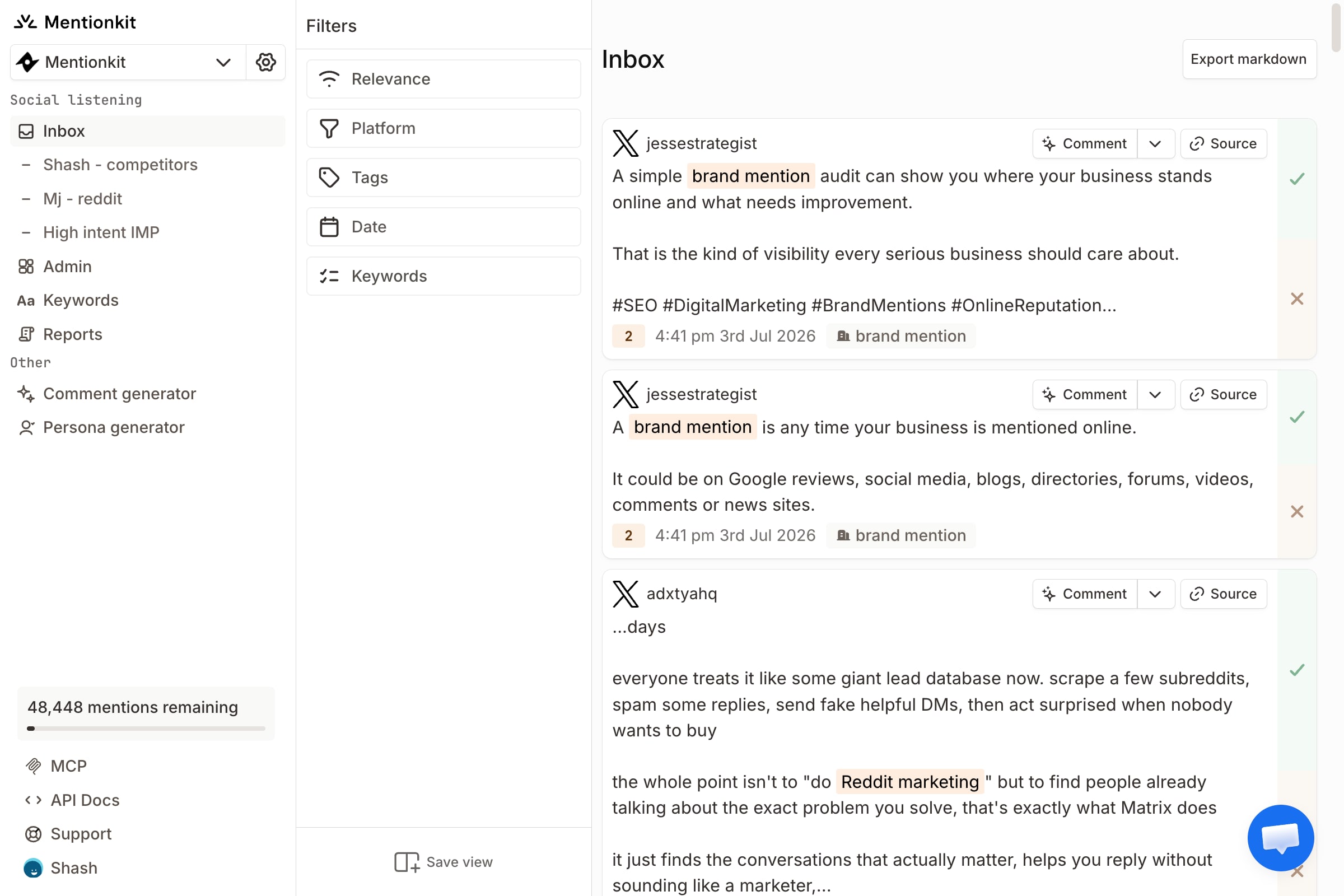
Check the full post before you act.
Open the thread. Read earlier replies. Check whether the post is current and whether the account looks real. A clipped preview can hide sarcasm or a correction.
Reply to brand questions and complaints first.
Answer the question in the first sentence. For a complaint, acknowledge the exact issue and give one next step. Move account details to a private channel. Do not ask a customer to repeat information that is already in the thread.
Use competitor posts for research before sales.
Save repeated product gaps, price problems, support issues, and switching reasons. Reply only when someone asks for an alternative or your product fits the stated need. Say that you work with the product.
A useful reply can look like this:
I work with [product]. It covers [specific need] and costs [current price]. The main limit is [fact]. If you need [different requirement], [other product] may fit better.
Keep X replies short.
One answer, one fact, and one relevant link are often enough. Long feature lists look copied. Do not force a product mention into a post that only needs help.
Track the outcome.
Mark whether the mention led to support work, product feedback, a saved quote, a corrected fact, a site visit, or a qualified lead. Review the result by keyword each month.
Remove a term that creates many weak matches and no action. Keep a phrase that finds a small number of useful posts. Mention quality matters more than raw count.
API access and webhooks can send selected posts into another product. Review source rights, data retention, rate limits, and retry rules before you build around an API. The social media listening API guide has a full checklist.
Conclusion
Start with your exact brand, domain, account handle, two misspellings, and three competitor phrases. Test them with X Advanced Search, then run the same terms in your monitoring product.
Review urgent brand posts each day. Check competitor and market terms on a schedule. Remove noisy keywords after one week and keep a manual brand search as a coverage check.
Use Mentionkit if you want X mentions in the same workflow as Reddit, LinkedIn, YouTube, GitHub, Slack, forums, and other sources. Track the brand first. Add lead discovery terms after the brand feed is useful.