
LinkedIn is full of B2B buying clues, but most of them are easy to miss.
Someone asks for product/workflow recommendations. A customer complains without tagging you. A founder compares two competitors. A buyer posts a problem your product can solve, then the post is buried by tomorrow.
That is why using LinkedIn monitoring tools is important. A good tool helps you track public LinkedIn posts, spot useful mentions, and reply while the thread is still active.
This guide compares the best LinkedIn monitoring tools in 2026 for brand monitoring, competitor tracking, and lead discovery. I also included the main limits to check before you buy, because LinkedIn monitoring is harder than basic keyword alerts.
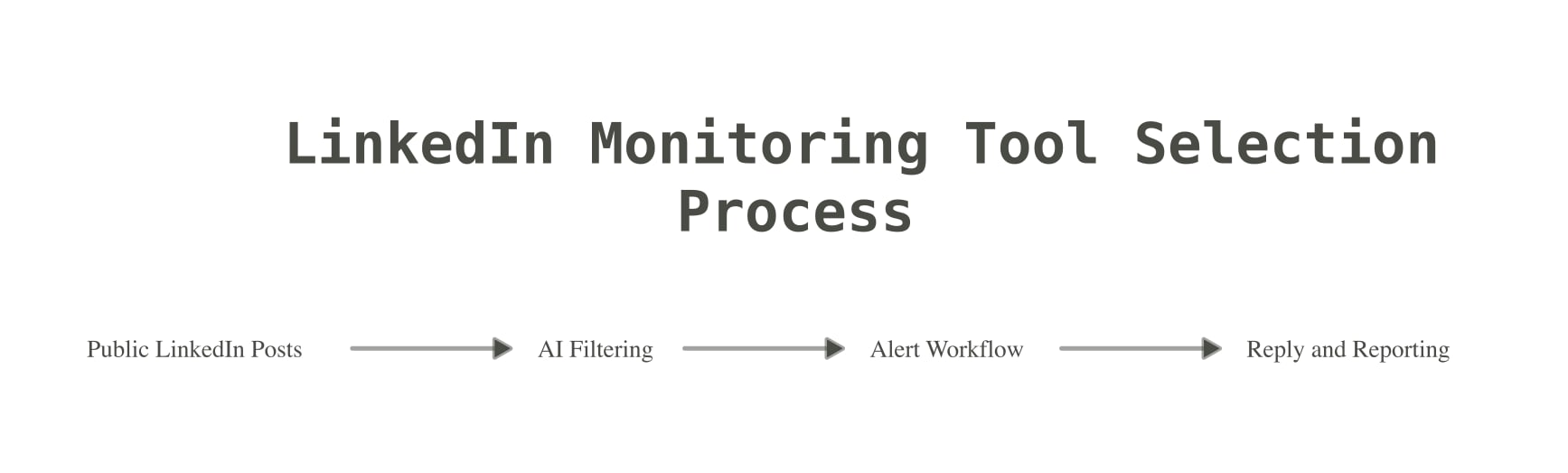
What to look for in LinkedIn monitoring tools
LinkedIn does not make public monitoring easy. People on Reddit still ask for tools that can track LinkedIn keywords with fast alerts, and warns that LinkedIn monitoring is tough because access is locked down compared with open web or Reddit monitoring.
So do not pick a tool just because it says “LinkedIn” on the homepage. Actually check and see if they are getting Linkedin’s data, not publicly available data from Google’s index.
For a deeper guide, read our page on LinkedIn social listening. If you want a broader workflow, this guide to brand mention monitoring explains how to track brand names, competitors, and problem phrases across more places.
Best LinkedIn monitoring tools in 2026
Here are the tools I would compare first.
| Tool | Best for | Starting price to check | Main watch-out |
|---|---|---|---|
| Mentionkit | Simple LinkedIn and social mention workflow | $30/month | Built for action, not enterprise research |
| Octolens | B2B SaaS monitoring with AI filtering and integrations | $159/month | Higher starting price |
| Alertly | LinkedIn-first alerts for B2B marketing | Check current pricing | Newer tool with less public review depth |
| Devi AI | LinkedIn plus social content and lead outreach | Around $49.90/month in its doc | More of a social media assistant than pure listening |
| Brand24 | Broad brand monitoring and reports | $249/month monthly | LinkedIn access and price depend on plan fit |
| Syften | Community and keyword alerts | $29.95/month | Base plan is very limited |
1. Mentionkit
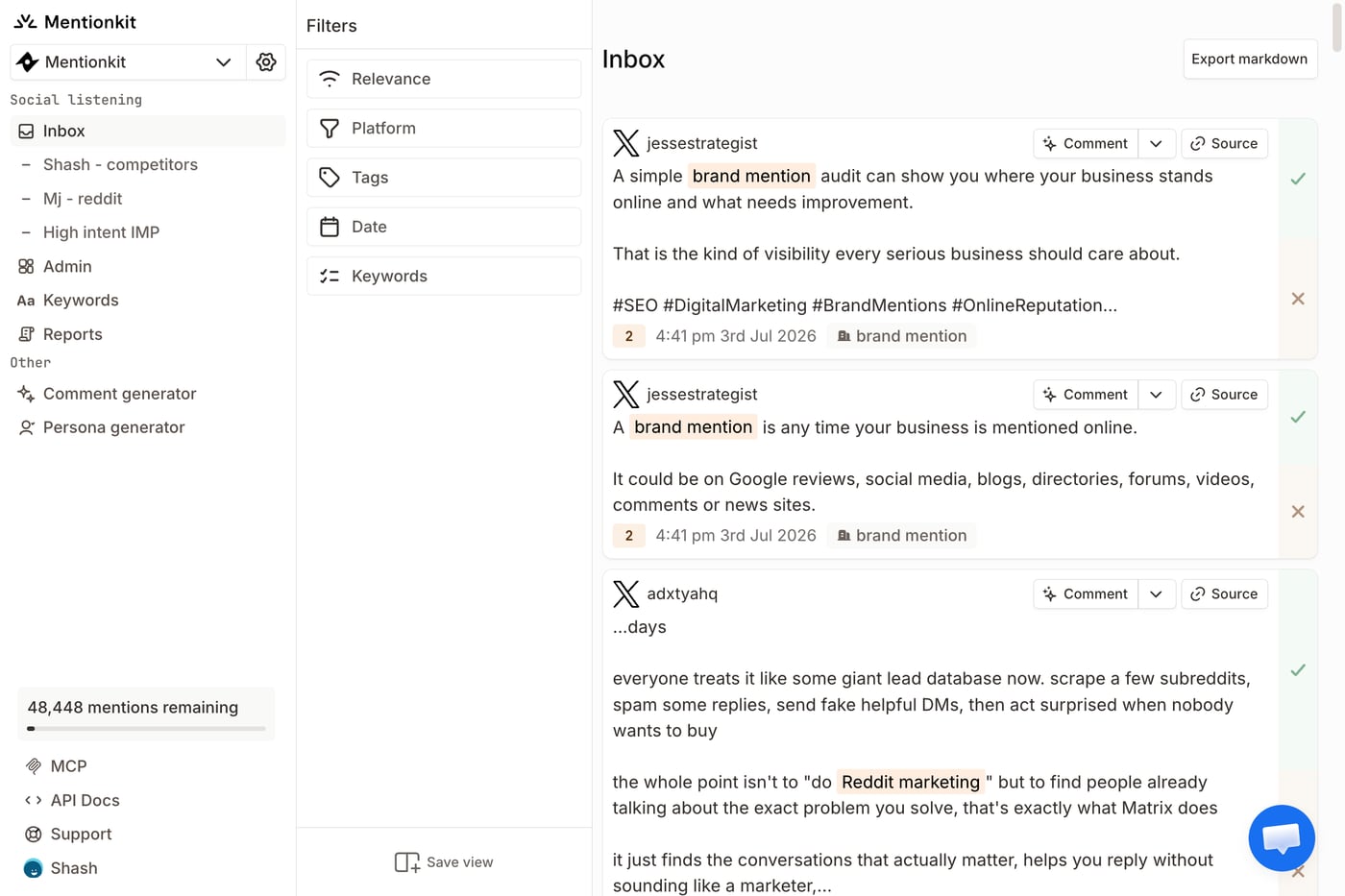
Mentionkit is the best fit if you want a simple social monitoring tool for finding LinkedIn mentions and acting on them.
You can track brand names, product names, competitors, and buyer-intent keywords across LinkedIn and other public platforms. Mentionkit supports Reddit, X, LinkedIn, TikTok, Bluesky, YouTube, Hacker News, and GitHub.
The daily workflow is simple:
- Create a project.
- Add focused keywords.
- Review mentions in one feed.
- Use AI drafts as a starting point.
- Assign ownership.
- Mark what was handled.
- Share reports when you need proof of work.
That last part is important. LinkedIn monitoring is only useful if someone does something with the post. A mention feed should help you reply, skip, assign, or report. It should not become another inbox that nobody checks.
Mentionkit is also a good fit if your business wants to monitor more than LinkedIn. LinkedIn posts are valuable, but buyers also ask questions on Reddit, compare tools on X, discuss products on YouTube, and share feedback in other public spaces.
Best for: founders, agencies, social media managers, support businesses, and B2B SaaS companies that want to find useful posts and reply fast.
Pricing: Starter is $30/month, Pro is $60/month, and Agency is $150/month.
Watch-out: Mentionkit is built for practical monitoring and action. If you need a huge research suite with deep market dashboards, compare enterprise tools too.
2. Octolens
Octolens is a strong LinkedIn monitoring tool for B2B SaaS businesses that want AI-filtered mentions, Slack alerts, email alerts, API access, webhooks, and MCP support.
Its LinkedIn monitoring page says it can track public posts, company updates, and comments that match your keywords. It also covers many other sources, including Reddit, X, GitHub, Hacker News, YouTube, Bluesky, TikTok, DEV, Stack Overflow, podcasts, newsletters, and news.
Octolens is especially interesting if your business is developer-facing or community-heavy. It is built around finding relevant public conversations before they get old.
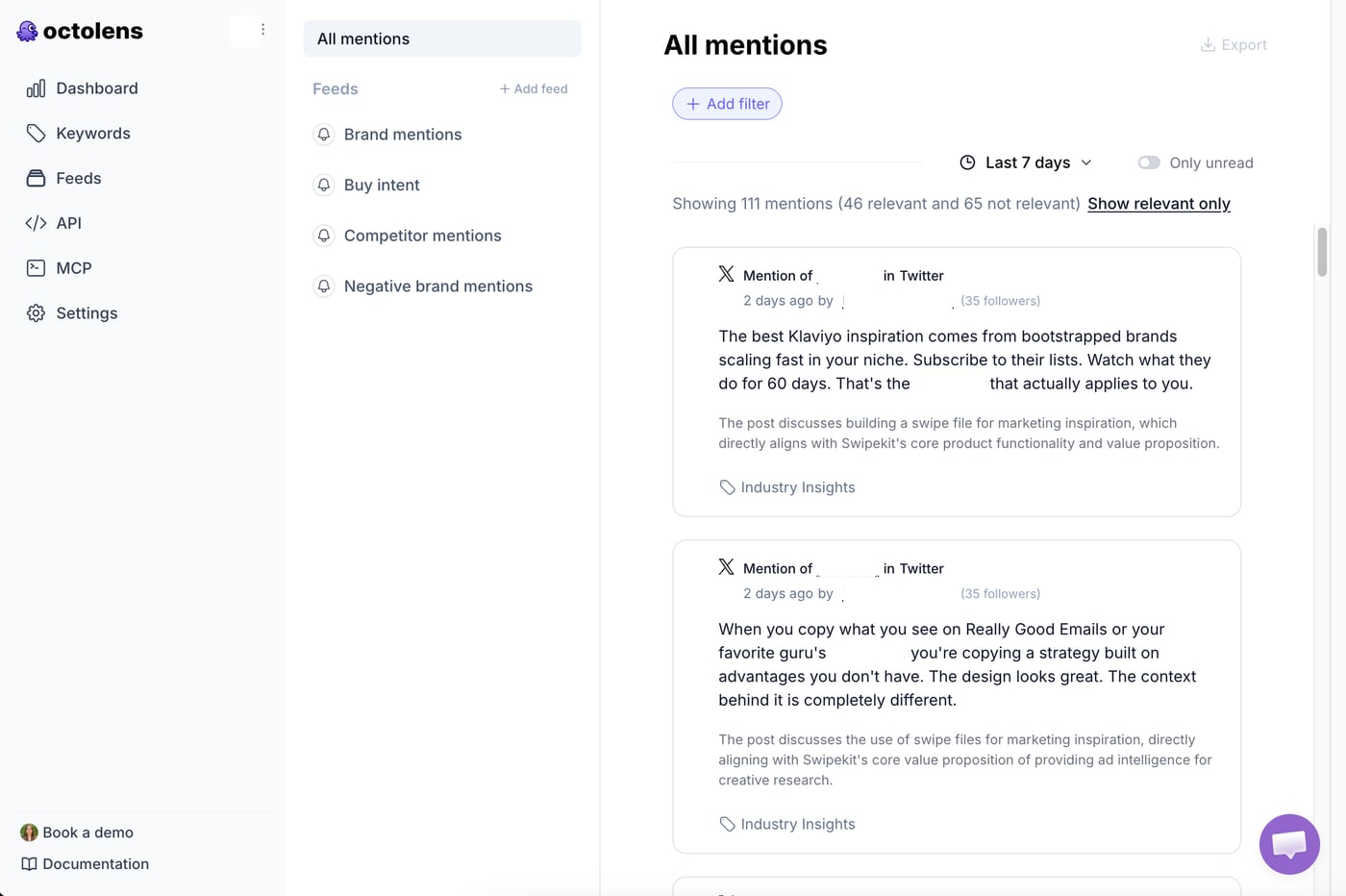
The main issue is price. Octolens now starts at $159/month for Pro. Scale is $499/month. That can be fine for a bigger B2B SaaS business, but it may be too much if you only need LinkedIn keyword alerts and a simple review flow.
Best for: B2B SaaS businesses with enough mention volume to justify the spend.
Pricing: Pro is $159/month, Scale is $499/month, and Enterprise is custom.
Watch-out: Count your keywords before you buy. Pro includes 10 keywords, and bigger monitoring work can push you up to Scale.
For more detail, read our Octolens pricing guide.
3. Alertly
Alertly is a LinkedIn monitoring tool built around B2B marketing alerts.
The product page focuses on LinkedIn mentions, keywords, competitor discussions, and buying-intent posts. It also says Alertly supports X, Reddit, Bluesky, YouTube, and Google News.
Alertly’s pitch is clear: add your brand, competitors, and problem keywords, then get the best posts by email or Slack. It also talks about ranking posts by intent, sentiment, and relevance.
This makes Alertly worth checking if LinkedIn is your main channel and you want a simple alert system without a large media monitoring suite.
Best for: B2B businesses that mainly want LinkedIn alerts for leads, competitor posts, and brand mentions.
Pricing: Check current pricing on Alertly’s site before you buy.
Watch-out: It is newer and has less public review depth than older tools. I would test it with your actual keywords before committing.
4. Devi AI
Devi AI is more than a LinkedIn monitoring tool. It is closer to an AI social media assistant.
It can monitor LinkedIn keywords, X, Reddit, Facebook groups, news sites, and blogs. Its own LinkedIn monitoring guide says the basic package includes LinkedIn global posts, Twitter and Reddit posts, private and public Facebook groups, buyer-intent detection, sentiment, and email alerts.
Devi also has outreach and content features. You can generate replies, create content, schedule posts, and monitor news. That can be useful if your business wants one tool for monitoring plus content work.
The tradeoff is focus. If your main need is clean social listening and reporting, Devi may feel busy. If you want monitoring tied to lead outreach and content creation, it may fit.
Best for: solo founders, consultants, and small businesses that want LinkedIn monitoring plus social content help.
Pricing: Devi’s guide lists $49.90 for unlimited keywords across Reddit, LinkedIn, X, and 20 Facebook groups. Its pricing page also lets you choose platform add-ons, so check the final checkout price.
Watch-out: Test the alert quality first. A tool can have many features and still miss the daily workflow you need.
5. Brand24
Brand24 is a broader brand monitoring platform. It is better known for media monitoring, sentiment, reports, and brand dashboards than for lightweight LinkedIn lead discovery.
Brand24 can be a good choice if you need brand health tracking, share of voice, sentiment, campaign reports, and alerts across many sources. It is more mature than most small LinkedIn alert tools, and many businesses use it for reputation monitoring.
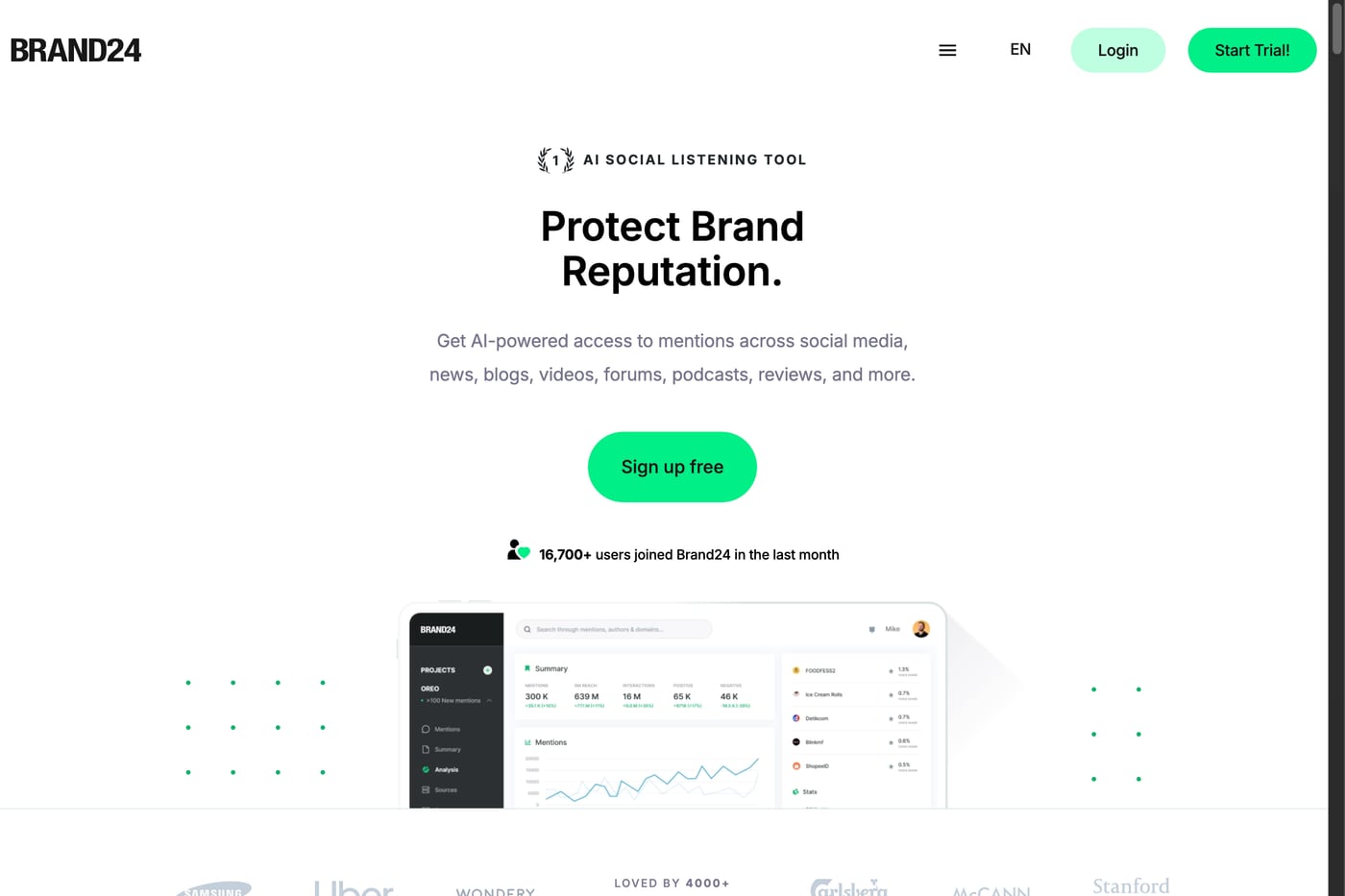
The main concern is price and plan fit. Brand24’s public pricing starts at $249/month on monthly billing, or $199/month on annual billing. Its own LinkedIn monitoring article says free LinkedIn analytics lack sentiment, competitor tracking, and fast alerts. That is true, but paid monitoring only makes sense if you will use the broader Brand24 workflow.
Best for: businesses that need broad brand monitoring, reports, and sentiment analysis.
Pricing: Individual starts at $249/month monthly or $199/month annually.
Watch-out: The entry plan has tight keyword limits. If your only job is finding useful LinkedIn posts to reply to, you may not need a tool this large.
For plan details, read our Brand24 pricing guide.
6. Syften
Syften is a keyword tracking tool for community and web monitoring. It is strong when you want alerts from places like Reddit, forums, GitHub, and other discussion-heavy sites.
Syften is worth comparing if your buyer research is not only on LinkedIn. Many B2B conversations start on Reddit or niche communities, then spill into LinkedIn later.
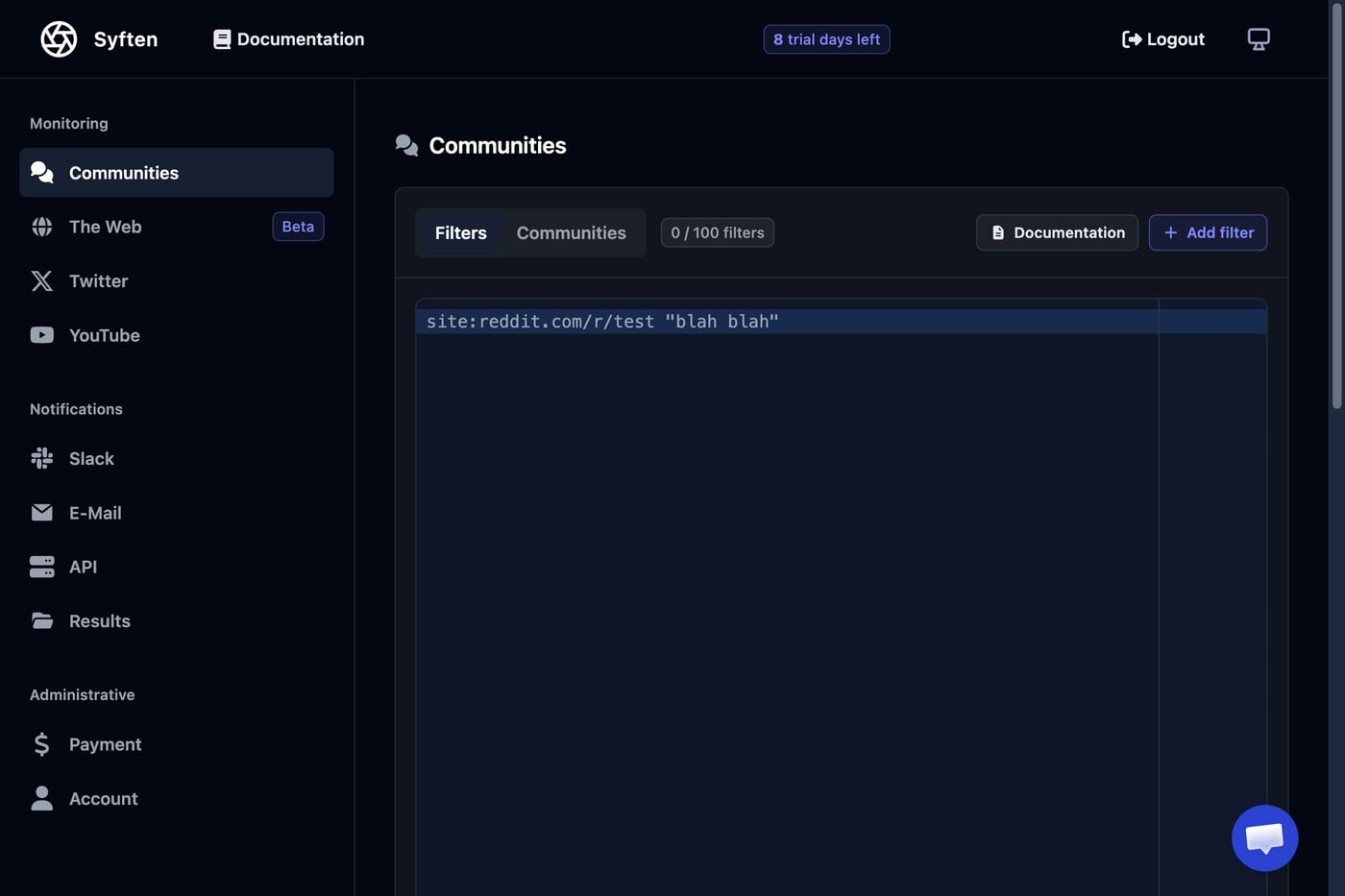
The issue is that Syften’s base plan is very limited. Entry is $29.95/month, but it has only 3 community filters, 1 web filter, no Slack, no AI filtering, no API, no webhooks, and no MCP. Most serious buyers will need Standard or Pro.
Best for: businesses that want filter-heavy community alerts and do not need a polished LinkedIn-first workflow.
Pricing: Entry is $29.95/month, Standard is $49.95/month, and Syften PRO is $119.95/month.
Watch-out: Check platform add-ons and integration limits. X and YouTube cost extra on Standard and Pro.
For more detail, read our Syften pricing guide or full Syften review.
Which LinkedIn monitoring tool should you choose?
Pick based on the job, not the logo.
Choose Mentionkit if you want the simplest action workflow.
It is the best pick when you want to track public LinkedIn mentions, review useful posts, draft replies, assign work, and report what happened. It also gives you multi-platform monitoring without pushing you into a high monthly plan.
Choose Octolens if you need B2B SaaS monitoring at higher volume.
It is a strong fit if AI filtering, Slack, API, webhooks, MCP, and broad source coverage are worth $159/month or more.
Choose Alertly if LinkedIn alerts are the whole job.
It is focused on LinkedIn posts, competitor mentions, and buying-intent alerts. Test it with your own keywords before you commit.
Choose Devi AI if you want monitoring plus content help.
It makes more sense if you want keyword alerts, AI replies, and social content tools in one place.
Choose Brand24 if reporting is the main need.
It is a better fit for brand health, sentiment, share of voice, campaign reports, and broader media monitoring.
Choose Syften if community alerts matter more than LinkedIn.
It can work well for filter-heavy alerting, but plan limits and add-ons matter a lot.
If you need your mention data in another system, also check API access before you buy. Our social media listening API guide explains what to look for in API limits, webhooks, source links, and update speed.
LinkedIn keyword ideas to track first
Start with monitoring your own brand + a few competitors. Most businesses do better with 5 good keywords than 20 sloppy ones.
Try these groups:
- Brand terms: your company name, product name, domain, founder name, and common misspellings.
- Competitor terms: competitor names, product names, pricing phrases, and “alternative” searches.
- Problem terms: phrases your buyer uses before looking for a tool.
- Recommendation terms: “best tool for”, “any recommendations”, “looking for”, “switching from”, and “alternatives to”.
- Pain terms: words tied to support issues, pricing pain, missed deadlines, slow workflows, or broken processes.
Check mentions everyday for two weeks, then cut out phrases that keep bringing weak posts.
Conclusion
The best LinkedIn monitoring tools help you catch public posts before they go cold. They also help you filter noise, reply with context, and track what happened after the alert.
For most B2B businesses, I would start with the simplest tool that covers the full workflow. That means keyword tracking, useful alerts, one review feed, AI draft help, ownership, reports, and coverage beyond LinkedIn.
Mentionkit is the strongest first pick for that workflow. It gives you LinkedIn monitoring plus broader social monitoring across Reddit, X, TikTok, Bluesky, YouTube, Hacker News, and GitHub. Start with a short keyword list, review posts daily for two weeks, and keep the phrases that bring useful conversations.