
A lot of teams say they care about Instagram comments. What they usually mean is that someone checks them when they have time.
That works when the account is small. It breaks the moment comments start carrying real business weight. Product questions get buried under emojis. Support issues sit in public. Warm prospects ask buying questions and never hear back. The comment section turns into a messy mix of community, customer service, and sales, with no operating system behind it.
If you’re serious about replying to comments on instagram, treat comments like an inbound queue, not a vanity metric. The brands that handle this well don’t just “engage more.” They decide what deserves a human response, what can wait, what should move to DM, and what should be ignored.
Why Most Instagram Comment Strategies Fail
Most Instagram comment strategies fail because they swing between two bad extremes.
The first is reply-to-all. Every fire emoji gets a thank you. Every tag gets a heart. Every “nice post” gets a cheerful response. The team stays busy, but not effective. High-value comments get the same treatment as low-value ones, and nobody has enough energy left for support, objections, or conversion-focused replies.
The second is reply-to-none unless it looks urgent. That feels efficient, but it trains your audience to expect silence. It also leaves public questions unanswered, which hurts trust for everyone else reading the thread.
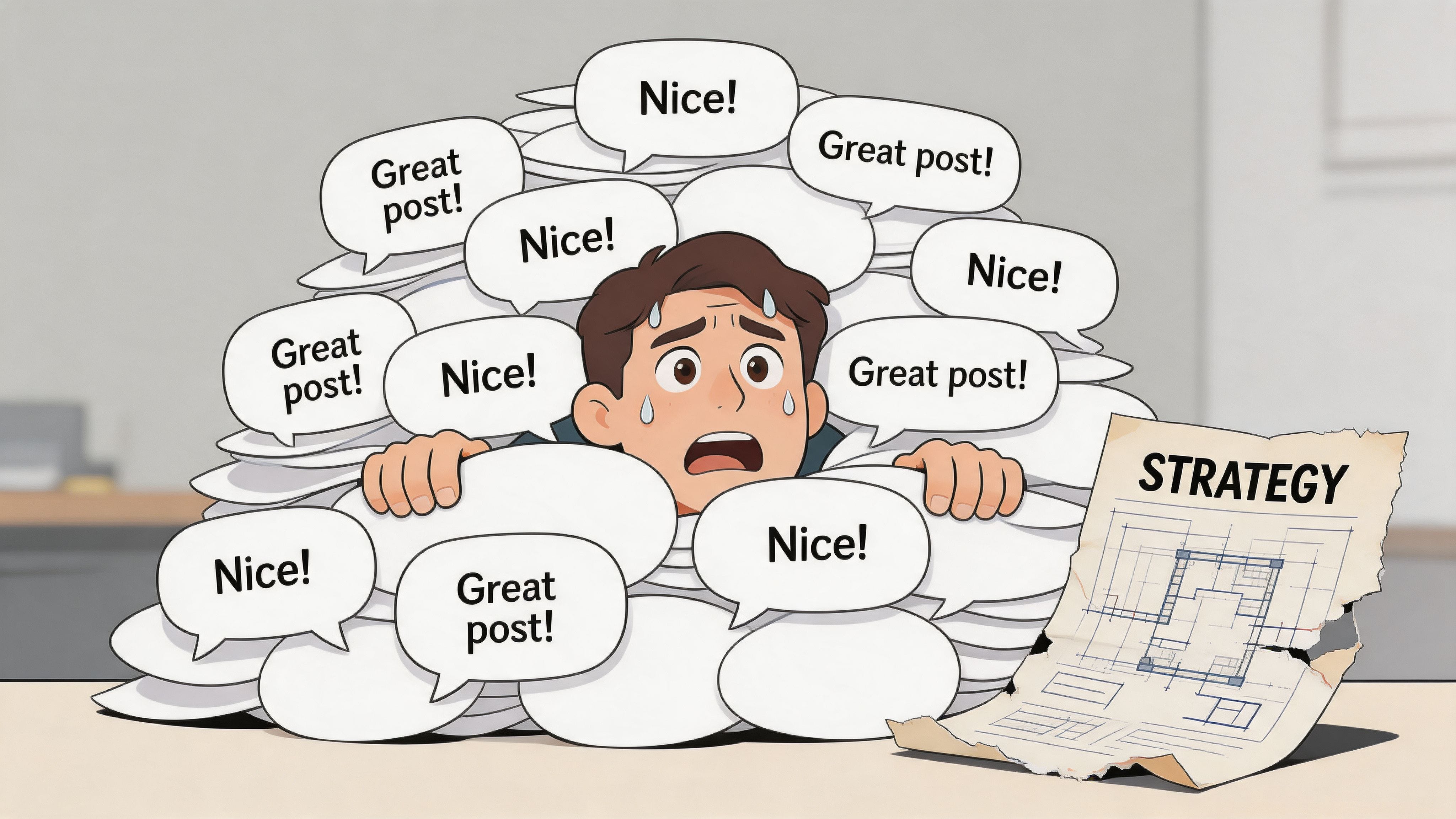
The real problem is lack of prioritization
The common advice to “just reply quickly” sounds practical, but it falls apart for high-volume accounts. There’s also a real strategy gap around delayed replies. Instagram timing guidance for delayed comment replies notes that Buffer found a 21% average engagement boost from replies, but it doesn’t break down what happens when you reply after the early window. That leaves managers guessing about whether an older comment still deserves a response.
That uncertainty creates bad habits:
- Teams overreact to speed and ignore quality.
- Managers postpone everything once the first response window passes.
- Support comments stay public too long because nobody owns escalation.
- Sales comments get treated like community chatter instead of purchase intent.
Practical rule: Your job isn’t to reduce the comment count. Your job is to reduce missed opportunities.
More replies don’t automatically mean better outcomes
This is the assumption that causes the most waste. More replies can help. But if the replies are generic, delayed without context, or posted to the wrong comments, you create activity without moving anything forward.
A comment strategy needs to answer four questions:
| Question | What strong teams decide |
|---|---|
| Is this comment valuable? | Sales, support, community, or noise |
| Does it need a public reply? | Public response, DM handoff, or moderation |
| Who owns it? | Community manager, support, founder, or sales |
| When does it expire? | Immediate, same day, this week, or skip |
Without those rules, comment management becomes emotional. Whoever is online responds to whatever feels easiest.
That’s also why crisis handling often goes wrong. Teams answer harmless comments while tense threads sit unanswered. If your account deals with complaints, sensitive feedback, or pile-ons, build your rules around risk as well as engagement. A simple social media crisis management process gives your team a way to separate normal comments from comments that can damage trust if handled casually.
The Three-Tier System for Prioritizing Comments
Teams don’t need more motivation. They need a sorting method.
A useful system starts by accepting one fact: not all comments deserve the same effort. Systematically categorizing comments into types like positive feedback, queries, and negative issues can reduce response time by 30 to 50% for high-volume accounts, according to this Instagram comment process breakdown. That matters because speed alone doesn’t solve chaos. Sorting does.
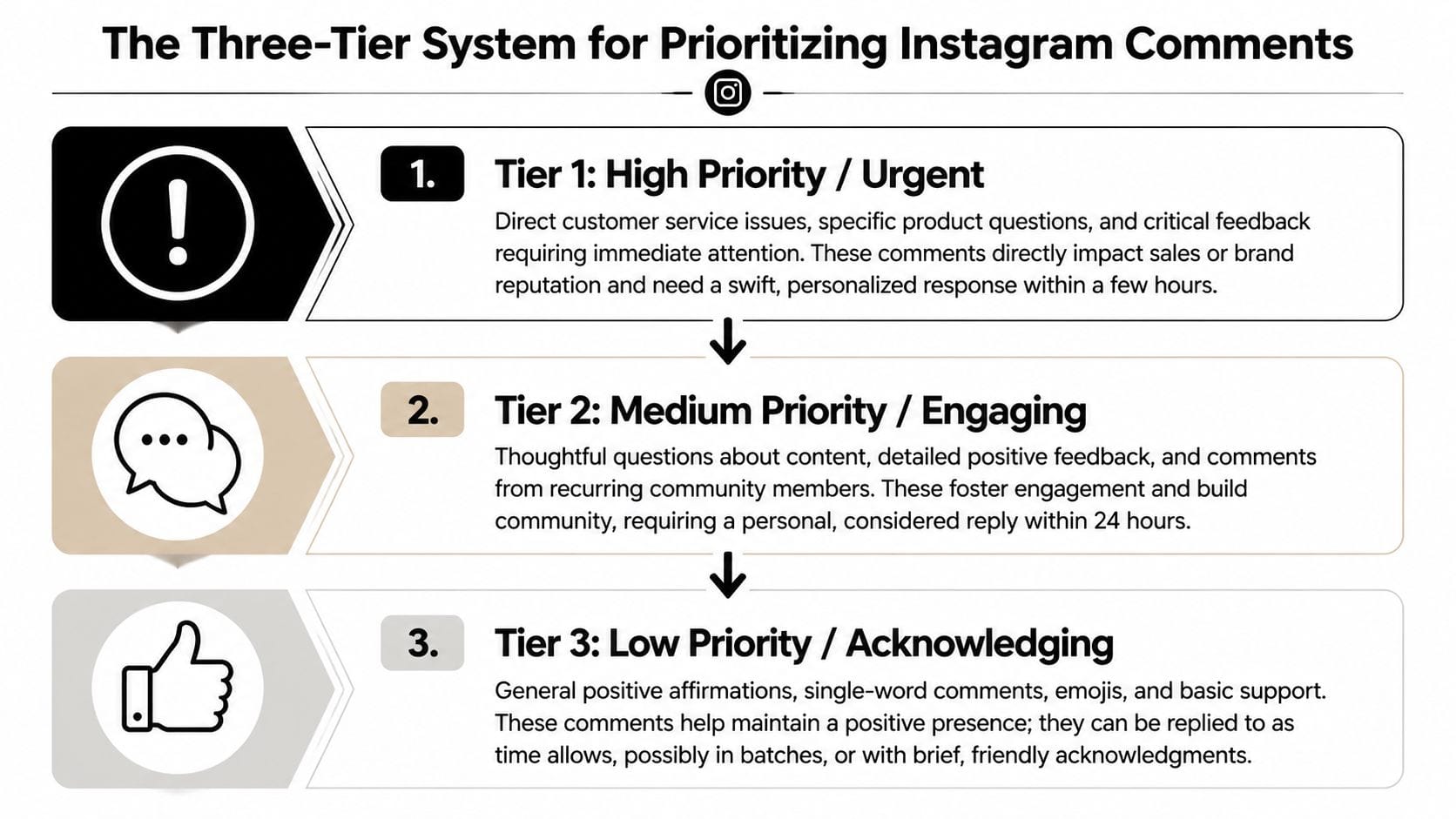
Tier 1 high priority
These comments directly affect revenue, retention, or reputation.
Examples include product questions, pricing questions, shipping issues, broken-link complaints, billing concerns, and public criticism from a real customer. If someone asks, “Does this integrate with HubSpot?” or “My order arrived damaged, who can help?” that’s not engagement fluff. That’s work with business impact.
For Tier 1, the response should be personal and decisive. Answer what you can in public. Move private details to DM when needed. Don’t leave ambiguous comments hanging with “Please message us.” Give the person a reason to trust that the handoff will lead somewhere.
Use this standard:
- Sales intent gets a clear answer and a next step.
- Support issues get acknowledgment, ownership, and escalation.
- Critical feedback gets a calm public response, then a private route for details.
Tier 2 medium priority
These comments build trust and keep the thread alive, even if they aren’t urgent.
Think thoughtful reactions, follow-up questions about the post, detailed positive feedback, and recurring commenters who show up often. These are the comments that turn an account from a broadcast channel into a community. They also give future readers social proof that the brand pays attention.
A good Tier 2 reply does one of three things:
- Extends the conversation with a follow-up question.
- Adds useful context that other readers can benefit from.
- Rewards the commenter’s effort with a reply that feels specific, not copied.
If someone says, “We’ve been struggling with this exact issue on our team,” don’t answer with “Thanks for sharing.” Ask what part has been hardest, or point them to the specific tactic they should test first.
A strong Tier 2 reply doesn’t just acknowledge the comment. It adds momentum to the thread.
Tier 3 low priority
These comments create social energy, but they usually don’t justify a custom reply every time.
This bucket includes emojis, one-word praise, friend tags, and generic comments that don’t open a conversation. That doesn’t mean they have no value. It means you need rules for handling them efficiently.
A practical approach:
| Comment type | Recommended action |
|---|---|
| Emoji-only comments | Like them or reply briefly if the thread needs activity |
| Generic praise | Reply selectively with short, friendly variation |
| Friend tags | Acknowledge some of them, especially on campaign posts |
| Obvious spam | Hide, delete, or report |
The biggest mistake here is false consistency. You don’t need to reply to every low-effort comment to prove you’re present. You need to show that the account is alive, responsive, and selective.
That selectivity is what keeps your team available for comments that matter.
Crafting Replies for Different Business Goals
Once comments are sorted, the next problem is tone. Teams often know which comments matter, but they still answer all of them the same way. That flattens the outcome.
A reply meant to close a sale shouldn’t sound like a thank-you note. A support reply shouldn’t sound like a growth hack. A community-building reply shouldn’t read like a help desk macro.
Replies that move sales conversations forward
A prospect asks, “Is this built for agencies or only in-house teams?”
A weak reply says, “Yes, absolutely. DM us.” It creates friction and avoids the question.
A better reply gives enough value in public to show competence, then opens a path to continue. For example: “It works for both, but agencies usually use it to manage multiple client workflows. If you want, send us your use case and we’ll point you to the closest fit.”
That does three things at once. It answers the visible question, signals relevance to other readers, and invites a lower-pressure next step.
When you’re building a broader playbook for this, it helps to look at proven Instagram engagement strategies that focus on conversation design, not just posting frequency. The best replies feel like a continuation of the content, not a separate customer service channel.
Replies that protect support trust
Now take a harder example. Someone comments, “I emailed your team twice and still haven’t heard back.”
Many brands tend to get defensive or too vague. Neither works. A strong support reply has a simple structure:
- Acknowledge the frustration
- Take responsibility for the next step
- Move account-specific details out of public view
A practical response sounds like this: “Sorry this has dragged out. That’s not the experience we want for you. Send us a DM with the email you used, and we’ll get the right person on it.”
Short. Human. Actionable.
What doesn’t work is trying to solve a complicated support issue in a long public thread, or replying with polished brand language that avoids the actual problem.
Replies that strengthen community
The easiest comments to undervalue are the ones that don’t look urgent but still shape brand perception.
A regular follower leaves a thoughtful comment on multiple posts. A customer shares how they used your product. Someone adds a smart opinion that improves the discussion. Those are chances to deepen the relationship.
Reply like you’re recognizing contribution, not clearing a task. Mention the specific point they made. Invite one more step in the conversation if it fits. If they shared a result or story, acknowledge that story instead of defaulting to “Thanks.”
The best community replies sound like a person continuing a discussion, not a brand closing a ticket.
There’s one more category worth handling carefully: low-effort or neutral comments. This guide on replying to Instagram comments notes that handling tags and similar low-effort comments is underexplored, even though two-thirds of profiles see positive engagement from selective replies. The useful takeaway isn’t “reply to all tags.” It’s “build criteria.” If the tag appears on a product-launch post, a giveaway, or a comparison post, a quick acknowledgment may be worth it. If it’s random noise on an old post, it probably isn’t.
That’s how scalable teams stay human without becoming trapped by volume.
Building a Scalable Workflow with the Right Tools
A comment strategy becomes reliable when ownership is clear.
One person shouldn’t have to monitor every post, decide what matters, draft every reply, and escalate support issues by memory. Once comments affect support and sales, the workflow needs the same discipline you’d apply to inbound leads or customer tickets.
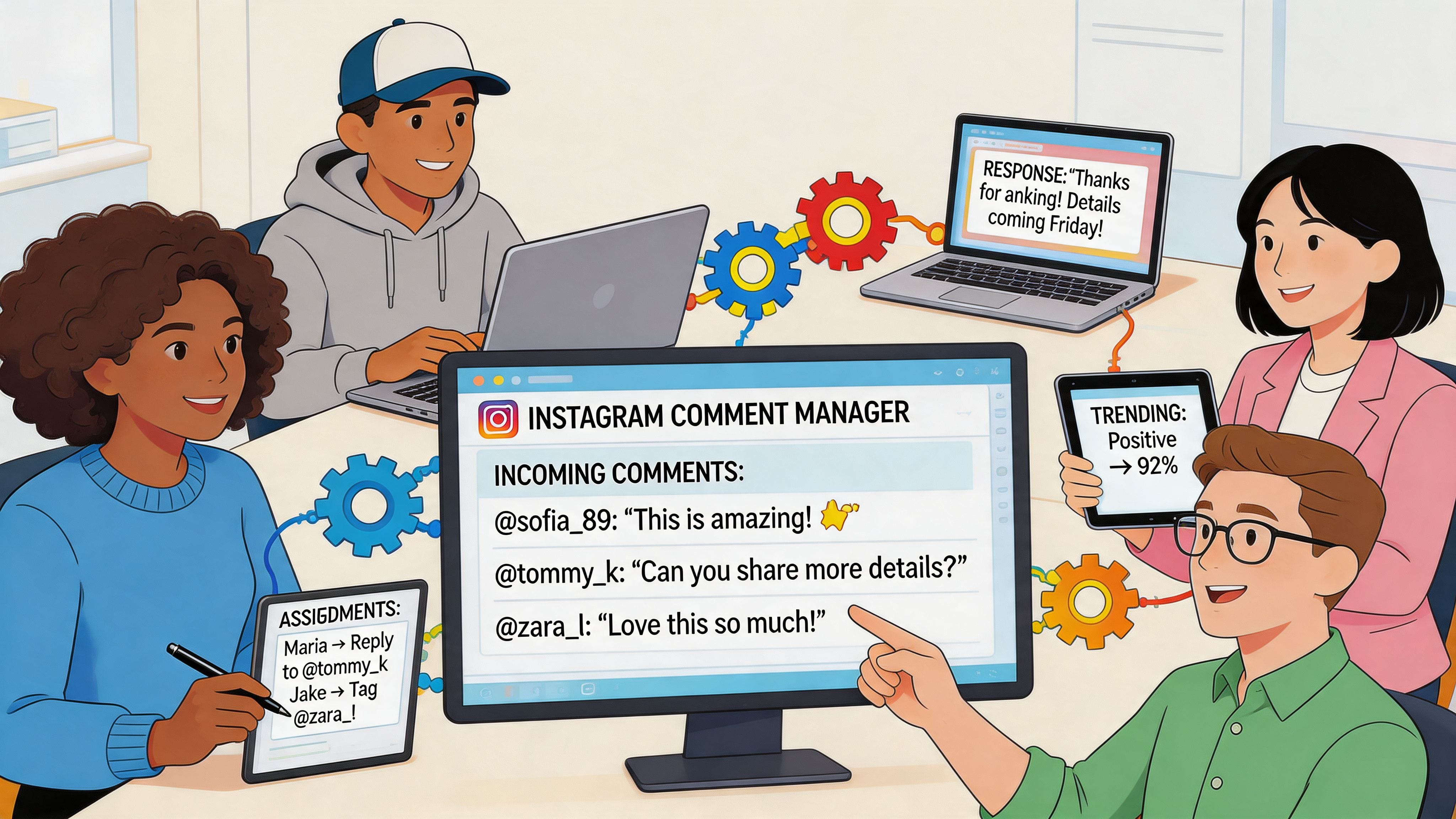
Build around queue ownership
Instagram changed the stakes here when threaded comments rolled out in August 2019. Instagram’s threaded comment update made targeted replies more important, and posts with active reply threads see up to 40% higher engagement rates. That means your workflow can’t just be “someone check comments later.” You need an organized queue.
A simple operating model works well:
| Role | Responsibility |
|---|---|
| Community manager | First review, tagging, basic replies |
| Support lead | Account-specific issues and complaints |
| Sales or growth lead | Product questions and buying intent |
| Approver for sensitive threads | High-risk public responses |
This doesn’t need enterprise software to start. Native Instagram notifications, a shared spreadsheet, Slack alerts, or a social media dashboard can all work. What matters is that comments move through a visible process.
Drafting, escalation, and handoff
The best teams don’t write every reply from scratch. They maintain a response library with approved language for common situations, then customize from there. That keeps tone consistent without making everything sound robotic.
Use a simple path:
- Review new comments and assign a tier.
- Draft a response using a template if the issue is common.
- Escalate sensitive comments when legal, billing, or reputation risk is involved.
- Mark ownership so two people don’t answer the same thread.
- Close the loop after a DM or support handoff.
If you want a model for structured monitoring and ownership, brand mention monitoring workflows are useful because they force teams to decide what deserves attention and who handles it. Tools built for social listening can shape that mindset even if your immediate problem is Instagram comments.
For teams handling conversations across multiple channels, Mentionkit is one option to monitor high-intent mentions on platforms like Reddit, X, LinkedIn, and Hacker News, score relevance, and organize drafting and ownership in one workspace. Instagram comments often need a different native or dashboard-based execution layer, but the same triage logic applies.
A short walkthrough can help your team visualize what a repeatable comment process looks like in practice.
What breaks scale isn’t volume alone. It’s ambiguity. If no one knows who owns a comment, what counts as urgent, or when to switch from public reply to private resolution, the whole system slows down.
How to Measure Your Comment Strategy’s ROI
If your reporting still says “we replied to comments,” you’re describing activity, not value.
The point of replying to comments on instagram isn’t to look busy in the community tab. It’s to improve support outcomes, capture demand, and strengthen the quality of public conversations around the brand. You need metrics that reflect that.
Track operational metrics first
Start with the numbers that show whether the system is functioning:
- Response time by tier tells you whether urgent comments are being handled first.
- Response rate by tier shows whether your priorities are real or just aspirational.
- Escalation count helps you see how often comments become support or sales conversations.
- Resolution status shows whether public issues were closed.
These metrics are useful because they reveal process failure quickly. If Tier 1 comments are getting mixed into the same queue as emoji comments, you’ll see it in the lag.
Then connect comments to business outcomes
The stronger layer is attribution. Track what happens after the reply.
For sales-related comments, count how many moved to DM, how many turned into qualified conversations, and which posts generated the most high-intent comment threads. For support, measure whether public complaints were resolved and whether repeat complaints dropped on similar topics after you improved public responses.
If those threads also lead you to creator partnerships, a simple creator post pricing calculator can help you sense-check what a sponsored post may be worth before you start the conversation.
A practical way to keep this clean is to define a few outcome labels inside your workflow:
| Label | Meaning |
|---|---|
| Lead | Comment revealed purchase interest |
| Support | Issue required service follow-up |
| Advocate | Commenter showed repeat positive engagement |
| Risk | Comment had reputation or moderation implications |
One warning matters here. If you’re tempted to automate too aggressively, understand the downside before you scale it. Understanding Instagram bot risks is worth reviewing because poor automation can distort your metrics. You may see more replies logged while trust, quality, and conversion intent get worse.
Measure whether replies changed the next step. If nothing moved forward, the reply was probably decorative.
Turning Your Comment Section into a Business Asset
The comment section isn’t just where engagement happens. It’s where intent surfaces in public.
This mindset shift is often necessary. When someone asks a product question, raises a concern, tags a colleague, or adds thoughtful context, they’re giving your brand a chance to sell, support, and build trust in front of everyone else reading. If you treat all of that as miscellaneous social activity, you’ll miss the significant value.
A useful comments strategy is selective. It doesn’t chase every interaction. It creates a system for spotting what matters, answering with the right goal in mind, and routing the rest without wasting team time. That’s why structured approaches to comments keep outperforming random responsiveness. If you want another useful perspective, BeyondComments’ strategy for comments is a good companion read because it treats comments as a managed channel rather than an afterthought.
For B2B teams, ecommerce brands, and agencies, the next step is simple. Build the queue. Define the tiers. Set ownership. Track outcomes. Then connect your Instagram approach to your broader lead generation from social media process so comment conversations don’t stop at engagement.
Do that well, and your comment section stops being a chore. It becomes a repeatable source of support quality, market feedback, and qualified demand.
If your team already manages high-intent conversations across social platforms, Mentionkit can help you organize that work with keyword monitoring, relevance scoring, shared ownership, and drafting workflows. It’s a practical fit for teams that want a tighter system for turning social conversations into leads instead of leaving them scattered across tabs and inboxes.