The most common advice on this topic is also the least helpful: “Just search each hashtag manually and look for overlap.”
That works if you need five minutes of inspiration. It fails if you’re doing B2B lead gen, competitor tracking, campaign monitoring, or market research at scale. Manual overlap checks are slow, messy, and easy to bias toward whatever Instagram decides to show you first.
The issue isn’t user error. Instagram wasn’t built for combined hashtag queries. If you want to search Instagram by multiple hashtags, you need a workaround, a tool, or your own technical stack. Which option makes sense depends on what outcome you care about: finding prospects, tracking a launch, spotting niche conversations, or building a repeatable research workflow.
Why You Can’t Search Instagram by Multiple Hashtags
Instagram search is weak for serious research. If you type two hashtags into the app, Instagram does not return a true combined results page. It treats hashtags as separate discovery paths, which is fine for casual browsing and poor for B2B work where the overlap between tags is usually the signal.
Instagram treats hashtags as separate discovery inputs
Instagram behaves more like a single-term lookup than a Boolean search engine. You can open one hashtag feed, review posts, and manually check whether the same post uses a second tag. You cannot ask Instagram to show only posts where tag A and tag B appear together.
That limitation matters more than many teams expect.
For B2B marketing and sales teams, broad hashtag feeds are rarely useful on their own. A single tag like #saas or #marketing pulls in students, agencies, founders, meme accounts, and recycled content. The useful posts tend to sit in narrower combinations such as category plus pain point, role plus workflow, or competitor tag plus event tag. Those intersections help qualify intent faster, which is what matters if the goal is lead discovery, competitor tracking, or market research.
In practice, hashtag intersections filter for context. They show how people describe the problem, the audience, and the use case in the same post. That is far more useful than scrolling one large feed and guessing.
Why marketers care about hashtag intersections
Hashtag combinations matter because creators and brands use them to stack meaning. One tag signals the industry. Another signals the audience. A third may signal buying stage, format, location, or campaign tie-in.
For a SaaS team, that can mean spotting posts where an industry term overlaps with a workflow problem. For an agency, it can mean finding campaign chatter where a branded tag appears alongside a category tag. For ecommerce teams, it often surfaces creator posts that combine product type with use case.
The business value is precision. Better precision means less manual review and better odds of finding accounts worth monitoring or contacting.
Teams that already monitor conversations across several channels usually notice the gap fast. Many social listening setups support more structured search on other networks. Mentionkit’s documentation on supported platforms outside Reddit is a good reminder that Instagram is the restrictive one here, especially if your workflow depends on combining signals instead of tracking one keyword at a time.
The effective methods
Three methods are worth using, depending on the outcome you need:
- Google search operators for quick manual research and one-off lead finding
- Third-party tools for repeatable monitoring and team workflows
- API-based searches for custom logic, automation, and deeper research control
They are not interchangeable. Google is fast but incomplete. Third-party tools save time but add cost and platform dependency. API workflows give you control, but setup, maintenance, and access limits are real constraints.
The Google Search Hack for Finding Posts
If you need a fast, free workaround, use Google. Not Instagram.
The core query is simple: site:instagram.com #hashtag1 #hashtag2
Google can surface public Instagram pages that contain both hashtags, which gets you much closer to an actual multi-tag search than the app itself.
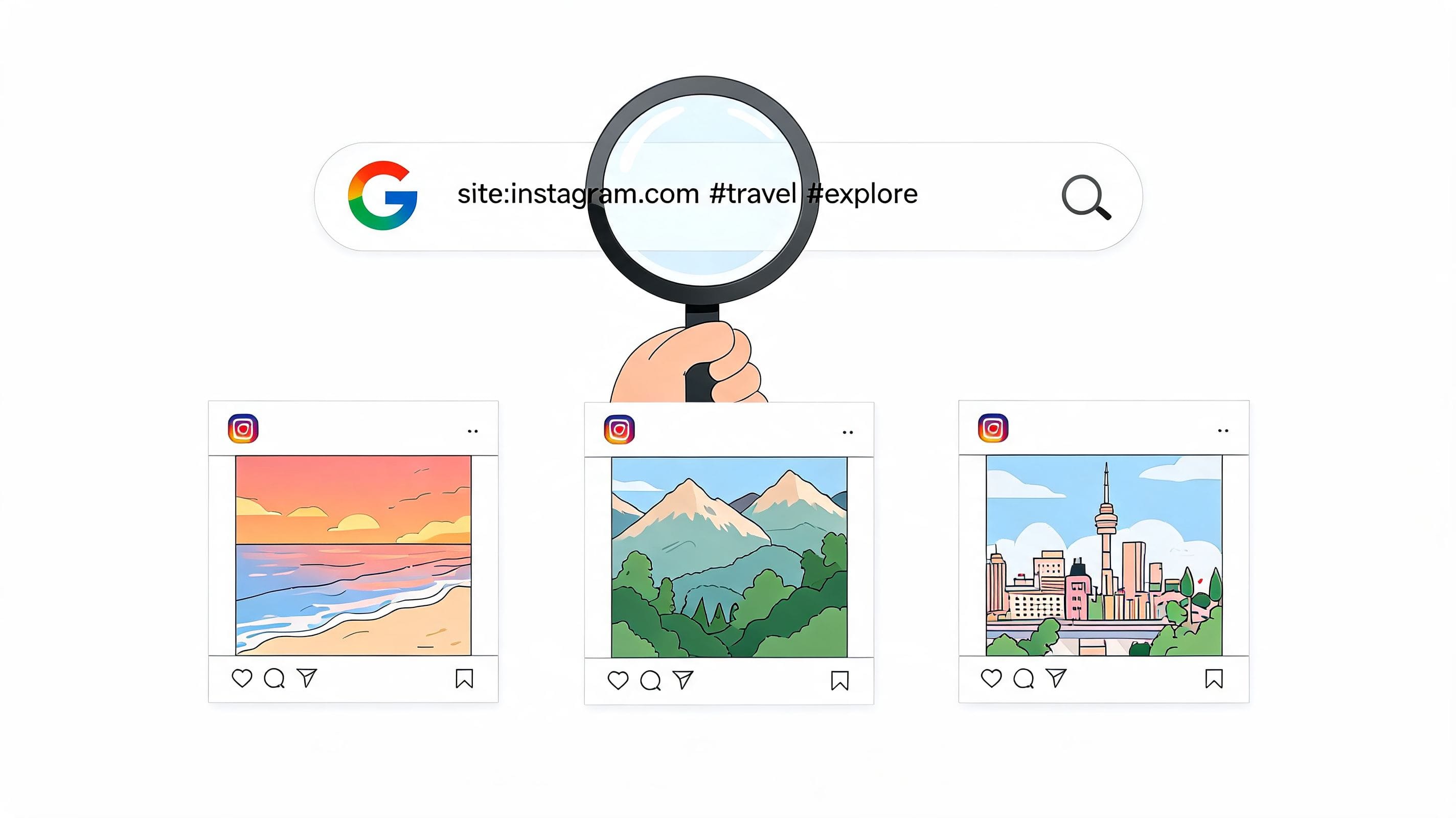
The exact search pattern to use
Start with the plain version:
- Basic overlap search
site:instagram.com #saas #userexperience
Then tighten it if needed:
- Exclude noise
site:instagram.com #saas #userexperience -#giveaway - Lean toward post URLs
site:instagram.com inurl:p #saas #userexperience - Remove irrelevant adjacent topics
site:instagram.com #saas #userexperience -job -hiring
This works because Google indexes Instagram’s public web pages. It doesn’t understand Instagram natively. It just matches crawlable pages containing those terms.
Benchmarks cited in this walkthrough of the Google operator method say the approach reaches 70 to 85 percent precision for niche hashtag combinations, though it can miss posts because Google only crawls part of Instagram’s public content.
When this method is actually useful
This is a research method, not a monitoring system.
Use it when you want to answer questions like:
- Which public posts mention both an industry topic and a workflow problem?
- Which creators repeatedly post in the overlap between two niches?
- Which campaign conversations include both your category term and a competitor-adjacent tag?
A B2B SaaS team might search for posts containing both #saas and #userexperience to find product designers, consultants, or operators discussing tooling and friction. An agency might pair a client category tag with a regional tag to locate local creators or event chatter.
Google is best when precision matters more than freshness.
What to expect from the results
This method is strong for discovery and weak for completeness.
You’ll usually get:
- Public pages only. Private accounts won’t appear.
- Indexed content only. Newer posts can lag.
- Messy result types. Google may show profiles, posts, tag pages, or mixed pages.
- Better results for niche combinations than broad, overloaded tags.
The trick is to use a broad-enough first tag and a more discriminating second tag. Two huge hashtags often create noisy results. One broad tag and one qualifying tag usually produce cleaner findings.
Common mistakes that waste time
Most bad results come from sloppy search design.
- Using ultra-broad tags together
Searching two giant hashtags creates clutter, not insight. - Skipping exclusions
If giveaway, hiring, or spam content pollutes the space, exclude it. - Relying on mobile Google
Desktop tends to be easier for inspecting and refining result sets. - Treating this as real-time monitoring
It isn’t. It’s a lookup hack.
For one-off lead research or competitor checks, this is often enough. If you need alerts, exports, or ongoing capture, move on from Google quickly.
Automate Your Search with Third-Party Tools
Once Google starts feeling repetitive, you’ve hit the boundary between a workaround and a workflow.
Third-party tools solve the core operational problem. They don’t just help you search Instagram by multiple hashtags once. They let you repeat the search, structure it, filter it, save it, and route results into a team process.

What these tools do better than manual search
Professional platforms such as Mentionlytics support Boolean-style logic like #hashtag1 AND #hashtag2, which is the core feature Instagram itself lacks. According to Mentionlytics’ guide to multi-hashtag Instagram search, these platforms can achieve 80 to 95 percent match accuracy by using APIs and rate-limit management.
That matters because business teams don’t need “interesting posts.” They need a system that can reliably pull the same type of result tomorrow, next week, and next month.
The three tool categories that matter
Not every tool belongs in the same bucket.
Social listening platforms
These are best for teams that need search plus workflow. You set a query, review matches, apply filters, export data, and often create alerts.
Useful when you’re tracking:
- competitor campaign tags
- branded and category tag overlap
- repeated creator mentions in a niche
- ongoing market conversations
Scrapers and collectors
These are better when you need raw extraction more than dashboards. They can pull public content from hashtag seeds, then filter for overlaps afterward.
They suit analysts and operators who want flexibility but don’t need a polished collaboration layer.
Reporting connectors
These sit closer to analytics and warehousing. They matter if your team wants to blend Instagram findings with CRM, BI, or campaign reporting systems.
What to look for before paying
A tool is worth the spend if it reduces manual filtering and helps a team act faster.
Check for:
- Boolean query support so you can search exact combinations
- Export options if analysts or sales ops need downstream use
- Filtering controls for relevance, recency, or engagement
- Alerting so people don’t have to rerun searches all day
- Cross-platform context if Instagram is only one part of your monitoring stack
If you’re building a repeatable process around monitoring and response, this broader guide on how teams automate social media for growth is useful because it frames automation as an operating model, not just a scheduling trick.
Buying a tool makes sense when the cost of manual searching is higher than the cost of software.
The trade-offs nobody mentions enough
Tools give you scale, but they also add operational overhead.
You’ll need someone to manage query quality. You’ll need rules for what counts as a useful match. And you’ll need a workflow for what happens after a post is found. Without that, teams end up collecting data they never use.
Another reality is tool sprawl. One team member wants a scraper. Another wants a listening dashboard. A third wants exports into Sheets or a warehouse. Before you subscribe to anything, define the job first.
If you’re comparing vendors, this roundup of social listening tools for 2026 is a helpful starting point for understanding feature differences without reducing the decision to price alone.
Building Custom Searches with the Instagram Graph API
If your team has developer support, the cleanest long-term option is to build the logic yourself.
The Instagram Graph API won’t magically give you a native “hashtag A AND hashtag B” endpoint. What it gives you is building blocks. You pull separate datasets, then intersect them in your own system. That’s the important mental model.
How the method works
The workflow is usually straightforward in concept:
- Authenticate access using an Instagram Business account and a registered developer app.
- Request data for each hashtag separately through the available endpoints.
- Store the returned post identifiers or objects in your own database or temporary layer.
- Intersect the result sets in code to find posts that appear in multiple hashtag pulls.
- Enrich and score the matches based on your business criteria.
That last step is where custom builds become powerful. You can sort results by campaign fit, creator profile, comment patterns, or internal lead rules instead of accepting whatever a third-party dashboard surfaces first.
Why technical teams choose this route
The API route is about control.
A growth team may want to pull hashtag result sets into its own enrichment pipeline. A product marketing team may want to compare campaign-adjacent tags with owned taxonomy. A data team may want a historical store it can join with CRM records, sales notes, or paid campaign data.
If you’re planning this kind of build, a simple refresher on practical REST API examples helps non-developers understand the request-response model before they start scoping requirements with engineering.
The trade-offs are mostly organizational
This route sounds elegant, but it’s not the easiest.
You need:
- Developer time to set up auth, requests, storage, and intersection logic
- Ongoing maintenance when APIs change or permissions shift
- Internal clarity on what fields matter and how often data should refresh
- A use case that justifies the build, not curiosity
A lot of teams overbuild here. They ask engineering for a custom Instagram monitoring system when what they really need is a weekly report and a clean search interface.
Build with the API only when custom logic is the advantage, not just because it’s possible.
A practical model for B2B teams
The strongest use case is when Instagram data needs to feed a larger system.
Examples include:
- sending hashtag overlap results into an internal research dashboard
- enriching creator discovery with company or vertical tags
- identifying repeated campaign themes across several business units
- combining social signals with lead scoring logic
If your team already works with APIs elsewhere, it helps to think in endpoint terms rather than “Instagram search” terms. A documentation pattern like an endpoints overview for integration planning is often the right way to spec the workflow before anyone writes code.
For most marketing teams, the API is not the first move. For a technical org with a real data workflow, it can be the right one.
Choosing the Right Search Method for Your Goal
The right method depends less on budget than on urgency and process.
If you need an answer today, use Google. If you need the same answer every day, use a tool. If you need the answer inside your own system with custom logic, build with the API.
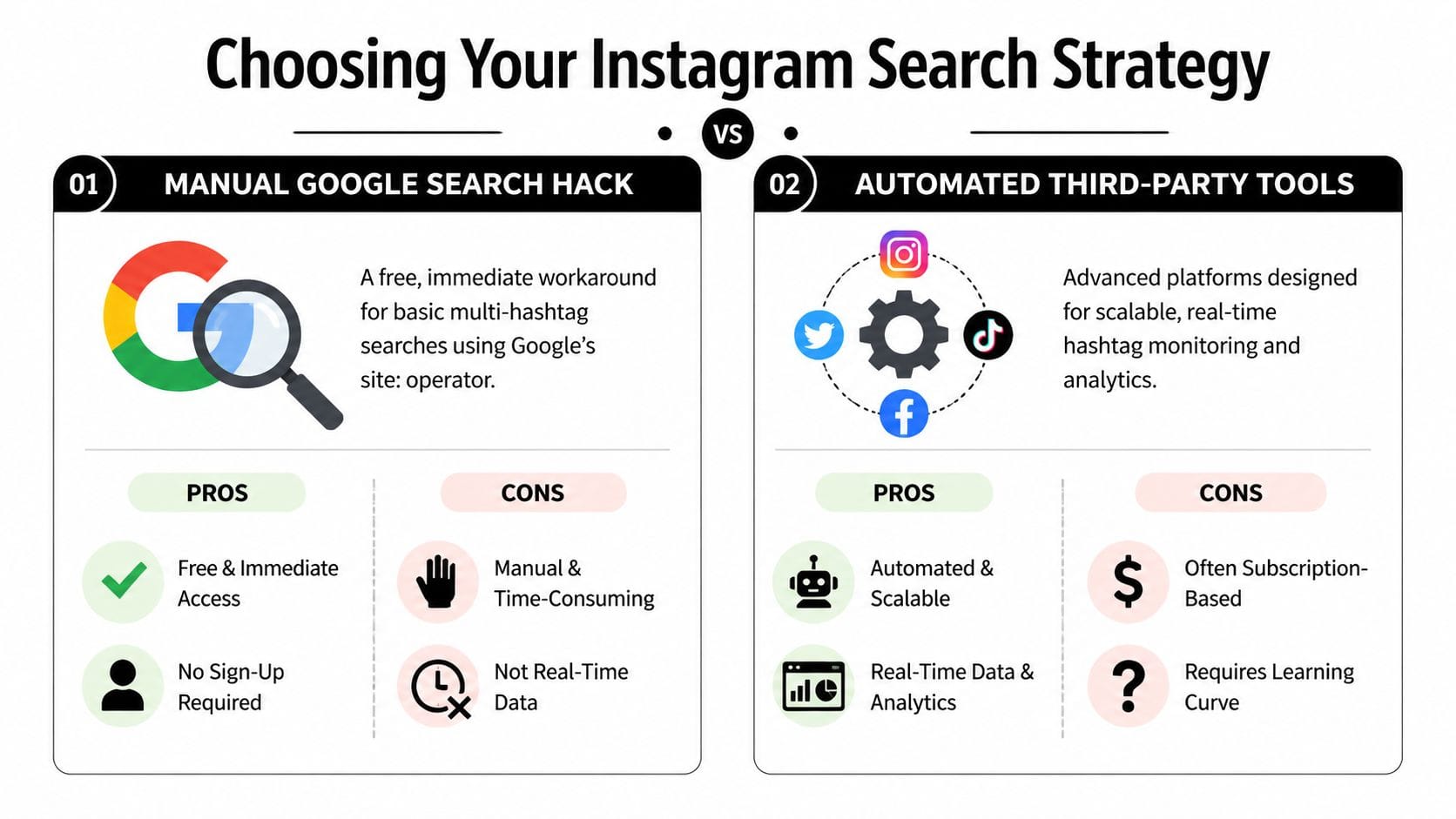
Comparison of Multi-Hashtag Search Methods
| Method | Cost | Speed | Technical Skill | Best For |
|---|---|---|---|---|
| Google search hack | Free | Fast for one-off discovery, slower for repeated work | Low | Quick lead research, ad hoc competitor checks, niche content discovery |
| Third-party tools | Subscription-based in most cases | Strong for recurring searches and monitoring | Low to medium | Agencies, in-house teams, campaign tracking, structured workflows |
| Instagram Graph API | Development and maintenance cost | Depends on implementation | High | Custom dashboards, internal data pipelines, advanced research operations |
Match the method to the business job
A lot of teams choose based on what feels impressive. That’s backward. Choose based on the job.
For lead generation
Use a tool if your team needs repeated monitoring and triage. You want saved searches, filtering, exports, and a way to hand results to sales or community managers.
Google can still help with prospecting sprints, especially when you’re testing whether a hashtag combination produces useful conversations at all.
For competitor analysis
Use Google for sharp, manual research. It works well when you want to inspect a niche overlap and learn the language competitors and creators use around a topic.
A reporting-oriented setup helps if you need recurring snapshots. That’s where trend-focused resources like using PostSyncer for hashtags can be useful, not as a replacement for overlap search, but as a way to identify adjacent tags worth monitoring.
For market research and internal reporting
The API route is strongest when findings need to live inside your own stack. If your team wants to compare hashtag intersections over time, tie them to campaign phases, or layer internal scoring on top, custom infrastructure makes more sense than exporting CSVs forever.
The real decision filter
Ask four questions before picking anything:
- How often will we run this search
- Who needs the result after it’s found
- Do we need alerts or just occasional answers
- Will this data need to connect to other systems
If the answer is “once,” use Google. If the answer is “daily,” use software. If the answer is “this needs to feed reporting or automation,” build.
That’s the private playbook many teams learn late. The method is secondary. The workflow is the primary decision.
Turning Hashtag Searches into Business Intelligence
Hashtag research does not create value on its own. Decisions do.
For B2B teams, the actual job starts after you find the overlap. A post that includes two relevant hashtags is only useful if someone can turn it into a lead, a competitor signal, a market insight, or a content input. As noted earlier, Instagram’s search limitations make that harder. They also force teams to be more deliberate, which is often a good thing.
What a useful workflow looks like
The strongest workflows have three steps. Collect the posts. Qualify them against a business goal. Assign the next action to a specific person.
That middle step is where weak research usually breaks.
A demand gen team looking for leads should not save every post that mentions a category tag and a problem tag. They should isolate posts that show active evaluation, clear frustration, or a buying trigger. A competitor research workflow should not stop at “brand X appears near hashtag Y.” It should classify the post by message angle, audience segment, offer type, and creator profile so the pattern is usable in planning.
What to examine inside the posts
Hashtag overlap narrows the pool. Context tells you whether the post matters.
Review:
- Caption language for pain points, comparisons, budget cues, or tool-switching signals
- Comments for follow-up questions, objections, recommendations, or buyer intent
- Profile type to separate operators, vendors, creators, agencies, and actual prospects
- Posting patterns to see whether the same theme keeps appearing across accounts or weeks
A saved post is not an insight. It is a candidate.
That distinction matters because raw exports create busywork fast. Teams pull a spreadsheet, count overlaps, and call it research. Then nothing happens because nobody translated those posts into a decision the business can act on.
Where B2B teams actually get results
The best use cases are narrow.
Product marketing teams can track category-plus-problem hashtag combinations to hear how buyers describe friction in their own words. Sales and community teams can review posts that pair need-state hashtags with implementation or recommendation language, then decide whether the account belongs in outreach, listening, or neither. Agencies can compare a client’s branded hashtag against adjacent industry tags to spot creator partnerships, customer proof, or competitor intrusion before it becomes obvious in reporting.
If you find a promising creator in that research, this creator post pricing calculator is a simple way to estimate what a sponsored post may cost.
The method matters less than the outcome you need. If the goal is lead generation, look for buying signals and route them quickly. If the goal is competitor analysis, tag themes consistently so you can compare message shifts over time. If the goal is market research, collect the language buyers use before your team writes the next campaign brief.
If your team wants that same high-intent monitoring workflow outside Instagram, Mentionkit helps you track recommendation requests, competitor comparisons, and buyer conversations across Reddit, X, LinkedIn, and Hacker News, then score and organize them so your team can respond while intent is still warm.