
- What Public Relations Software Means in 2026
- The Core Capabilities of Modern PR Platforms
- Key Workflows for Agencies and In-House Teams
- How to Find Leads and Conversations with PR Software
- Choosing the Right PR Software A Practical Checklist
- Understanding Pricing Models and Implementation
- The Future of PR is Actionable Intelligence
Most advice about public relations software is stuck in the press release era. It treats the category like a cleaner media list, a better newsroom, or a faster way to send pitches. That’s too narrow for how brands win and lose attention now.
Public perception no longer moves only through journalists. It moves through Reddit threads, LinkedIn comments, niche communities, customer screenshots, founder posts, angry replies, and comparison conversations that happen long before a reporter calls. If your software only helps you send outreach after the story forms, you’re already late.
That shift explains why the market keeps expanding. The global public relations software market is valued at approximately USD 14.94 billion in 2025 and projected to reach USD 38.06 billion by around 2034, driven by digital transformation and demand for real-time monitoring and analytics, according to Industry Research’s PR software market analysis. Buyers aren’t paying for dashboards alone. They’re paying for faster detection, sharper judgment, and coordinated action.
The useful way to think about public relations software in 2026 is simple. It’s not a media database with extra tabs. It’s a toolkit that helps teams detect risk early, join the right conversations, support revenue, and prove that communications work affected something beyond impressions.
What Public Relations Software Means in 2026
Public relations software used to mean three things. A contact database, a press release workflow, and a coverage report sent at the end of the month. Those jobs still matter, but they no longer define the category.
Modern teams need software that works in a fragmented media environment. News coverage matters. So do social posts, founder commentary, creator mentions, community complaints, competitor comparisons, and customer questions that signal buying intent. A tool that can’t see across those surfaces gives you partial visibility, and partial visibility creates slow decisions.
From media relations system to operating layer
The practical definition has changed. Public relations software now sits closer to an operating layer for brand reputation and market awareness. It helps teams monitor what people say, understand whether it matters, route the issue to the right person, respond in context, and measure what happened next.
That makes PR software relevant far beyond the comms team. Demand gen teams use it to find conversations worth joining. Customer marketing uses it to spot advocates. Executives use it to avoid being surprised by a narrative that developed gradually for days. Agencies use it to keep multiple client programs from turning into spreadsheet chaos.
Public relations software is most valuable when it shortens the distance between signal and response.
The old buying logic no longer works
A lot of teams still buy these platforms the old way. They ask how many journalist contacts are included, whether the clipping book looks polished, and how easy it is to distribute a release. Those are fair questions, but they aren’t enough.
Better questions are harder and more useful:
- Can this tool catch a problem before it becomes a briefing issue
- Can it show me real conversations, not just polished coverage
- Can my team act from inside the workflow instead of exporting everything
- Can it help us connect communications to pipeline, trust, or risk
If the answer is no, the software may still be functional. It just won’t be central.
The Core Capabilities of Modern PR Platforms
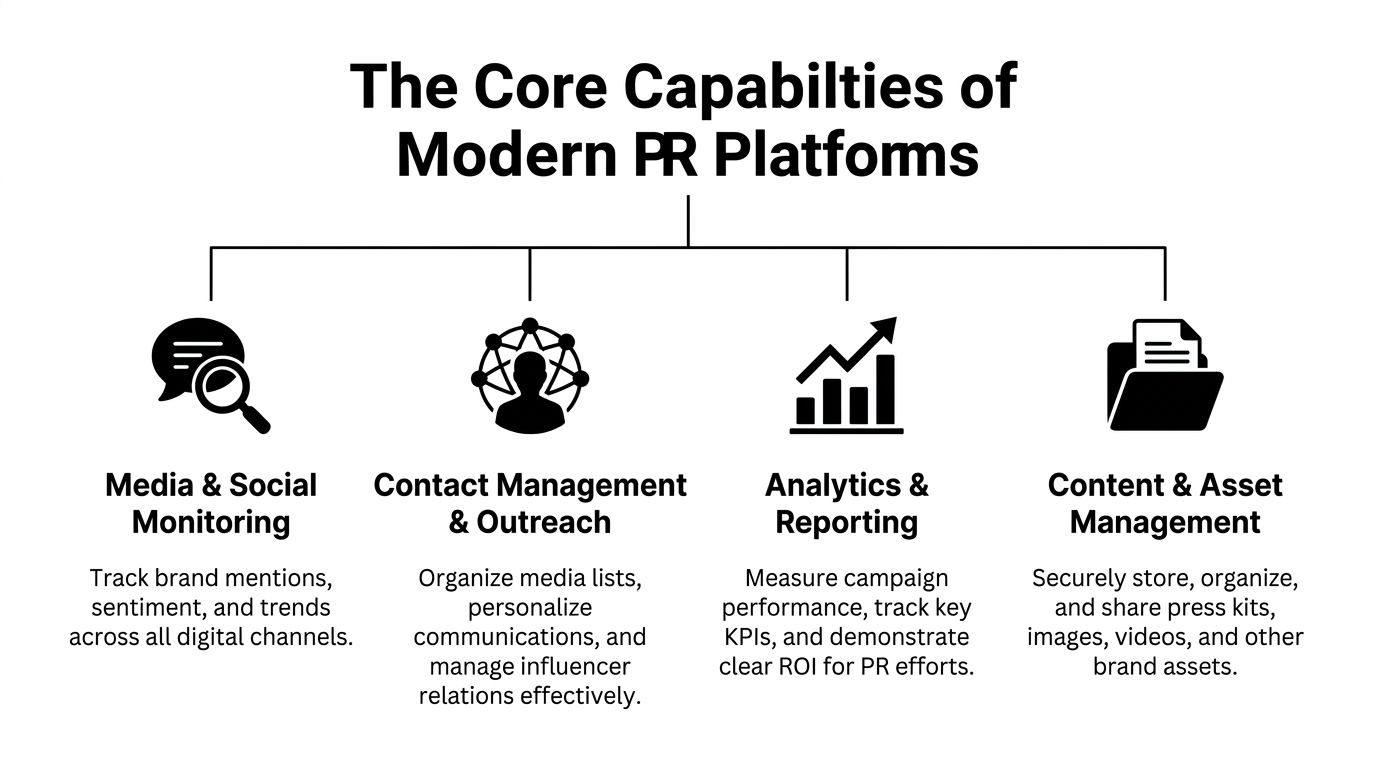
The strongest PR platforms act like a command center. They don’t just collect data. They help teams decide what matters, who should act, and how fast they need to move.
One market signal is clear. Social media monitoring tools captured a 24.6 to 30% market share in 2023 to 2024, the largest segment within PR software, according to Research and Markets coverage of PR software. That tracks with what practitioners already know. The fastest-moving brand issues and many of the best demand signals now show up in social environments first.
Media and social monitoring
The category underwent its most significant transformation. Basic monitoring tools used to behave like upgraded alerts. They waited for exact keywords, pushed out noisy notifications, and left teams to sort relevance by hand.
Modern monitoring should do more than count mentions. It should help you distinguish between:
- Routine chatter that doesn’t need a response
- Early risk signals that need escalation
- High-intent conversations where a helpful reply could create a customer or advocate
- Narrative shifts that tell you the market is framing your category differently
That means the source mix matters. A platform that covers online news but misses Reddit, X, LinkedIn, or industry forums may work for reporting, but it won’t fully support proactive engagement. Teams doing serious brand mention monitoring need source coverage that reflects the way their buyers talk.
What doesn’t work is over-monitoring without prioritization. If every mention looks urgent, nothing is urgent. Good systems help teams filter by sentiment, topic, source, ownership, and relevance so they can spend time on the mentions that change outcomes.
Contact management and outreach
A media database by itself isn’t enough. Outreach becomes more effective when the software behaves like a PR-specific CRM.
That includes contact history, pitch tracking, list segmentation, follow-up visibility, and a clear view of who on your team spoke to whom. Prowly, CisionOne, Presspage, and similar platforms are built around this kind of workflow. The key difference isn’t just storage. It’s memory. The system should remember relationship context so your team doesn’t treat every pitch like a cold start.
Outreach also needs judgment. Teams often misuse these tools by scaling the wrong message. Sending more pitches doesn’t fix weak angles, lazy targeting, or poor timing. Software can support personalization. It can’t invent relevance where none exists.
Practical rule: If your platform makes mass outreach easier than targeted outreach, your team will drift toward the wrong behavior.
Analytics and reporting
Reporting used to be the end product. Now it should be a decision tool.
Strong analytics help answer questions such as:
| Reporting question | What useful PR software should show |
|---|---|
| Did this campaign create visibility | Coverage, share of conversation, sentiment trends, and source quality |
| Did it move audience behavior | Traffic, conversions, or CRM-linked activity where your stack allows it |
| Did it improve relationships | Open rates, response history, journalist engagement, and follow-up outcomes |
| Did it reduce risk | Speed to detection, escalation path, and response timing |
The strongest reporting setups connect PR activity to business systems rather than isolating it inside a slide deck. That matters because leadership doesn’t need another PDF. They need evidence they can use in planning.
Content and asset management
This capability gets ignored until teams feel the pain. Press kits, approved statements, logos, executive bios, product screenshots, and crisis templates all need a clear home.
When assets are scattered across drives, chat threads, and old email chains, the team wastes time on retrieval during the exact moments when speed matters most. A solid platform reduces that scramble. It gives communications, legal, executives, and agencies a shared source of truth so the response is consistent.
The best setup isn’t the one with the most features. It’s the one that lets your team move from detection to action without opening five other tools first.
Key Workflows for Agencies and In-House Teams
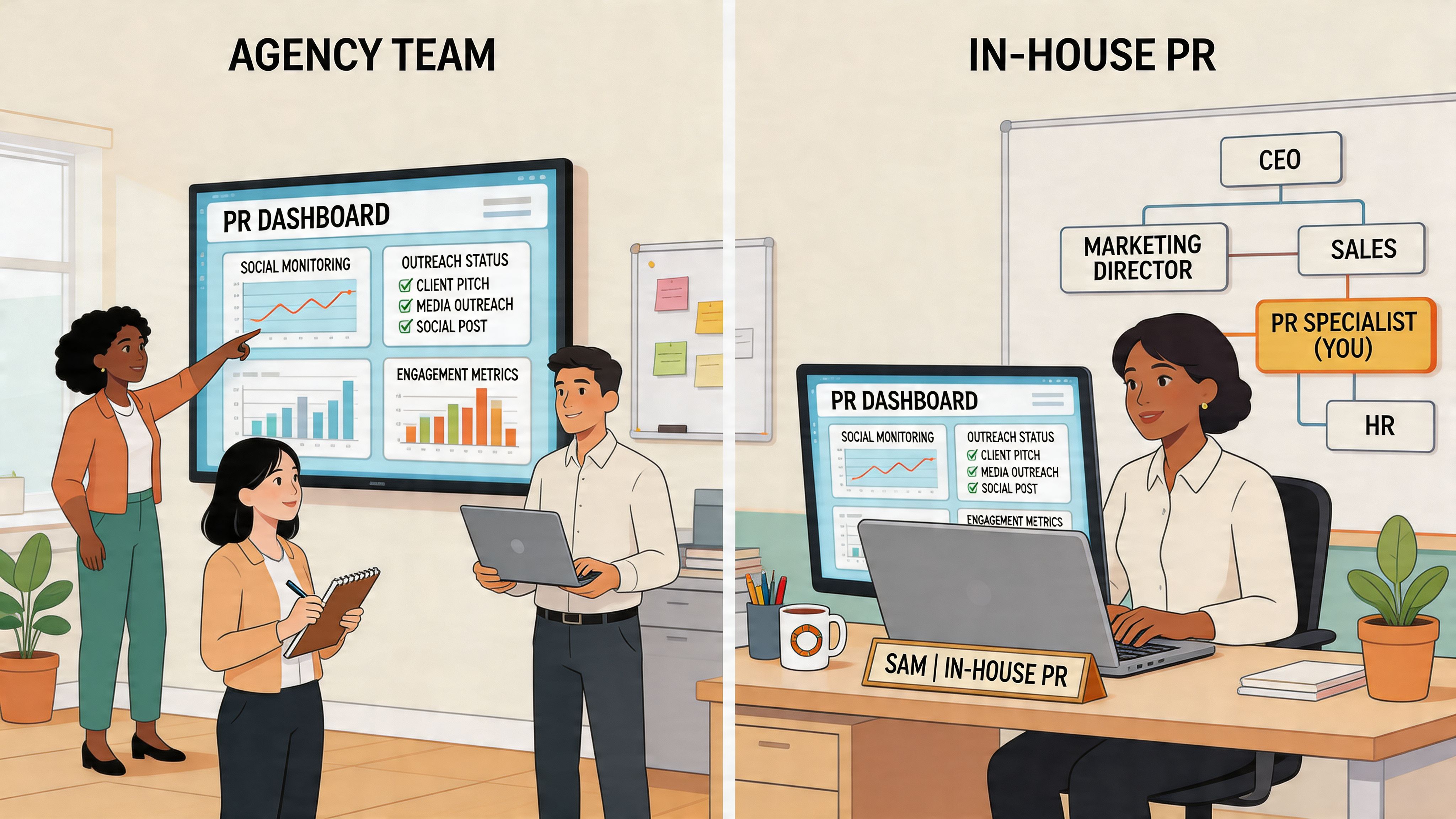
The value of PR software becomes obvious when you look at how different teams work. Agencies, in-house comms teams, and growth teams share some tools, but they don’t use them the same way.
The reason centralized workflows matter is straightforward. Modern PR platforms with media CRMs, pitch tracking, and real-time analytics can drive 50% faster campaign cycles and 35% higher response rates than fragmented tools, and unified dashboards reduce workflow switches by 70% for agencies, based on Talkwalker’s overview of PR tools. Anyone who has managed outreach across email, spreadsheets, coverage folders, and chat threads knows why that matters.
Agency workflow across multiple clients
Agencies need separation and speed at the same time. One client wants category visibility. Another cares about crisis prevention. A third wants thought leadership tied to pipeline influence. The software has to keep those programs distinct without making the team duplicate work.
A typical agency workflow looks like this:
- Create client-specific monitoring views for brand terms, executive names, competitors, product lines, and sensitive topics.
- Assign ownership inside the platform so account leads, junior team members, and specialists know who handles what.
- Track outreach history per client to avoid duplicate pitching or mixed messages.
- Build reporting by account so each client sees its own metrics, narrative changes, and recommendations.
- Escalate urgent mentions quickly when a thread, article, or post needs same-day action.
Fragmented tools cause breakdowns. Teams lose context. A junior account executive misses that a reporter was already briefed. A strategist forgets that a founder thread is gaining traction because the alert lived in someone’s inbox. A client report takes hours because the data sits in three systems.
For agencies handling reactive issues, a clear escalation lane matters even more. Teams that support brand protection often pair monitoring with a documented social media crisis management process so they aren’t improvising in the middle of a public flare-up.
In-house communications and executive visibility
An in-house team usually has a different burden. It has to serve the brand, keep leadership informed, and coordinate across departments that don’t speak the same language.
A good in-house workflow often includes:
- Morning narrative review for brand mentions, competitor coverage, and emerging issue clusters
- Internal stakeholder updates designed for executives, legal, customer support, and marketing
- Prepared response libraries with approved statements and escalation notes
- Executive media prep based on what journalists, customers, and critics are already discussing
In practice, the win is alignment. The software shouldn’t only tell the communications lead what happened. It should make it easier to hand the right context to the CMO, CEO, product lead, or support manager without rewriting the whole story each time.
A strong in-house PR stack reduces internal confusion as much as external risk.
B2B growth team workflow
Growth teams approach PR software with a different question. They don’t just want to know whether the brand was mentioned. They want to know whether the mention can help revenue.
A practical workflow looks less like classic PR and more like signal capture:
| Team type | What they watch | What they do next |
|---|---|---|
| Demand gen | Category questions, competitor comparisons, product pain points | Route promising conversations to social or sales-assist motions |
| Product marketing | Feature complaints, language buyers use, objections in the wild | Refine messaging, positioning, and FAQ content |
| Customer marketing | Positive mentions, customer wins, unsolicited recommendations | Identify advocates and social proof opportunities |
What doesn’t work here is forcing PR software into a reporting-only role. If the tool can’t help a growth team find usable conversations, route them quickly, and preserve context, it becomes shelfware for anyone outside communications.
How to Find Leads and Conversations with PR Software
Most companies still underuse PR software in one area that matters a lot. They ignore the buying conversations already happening in public.
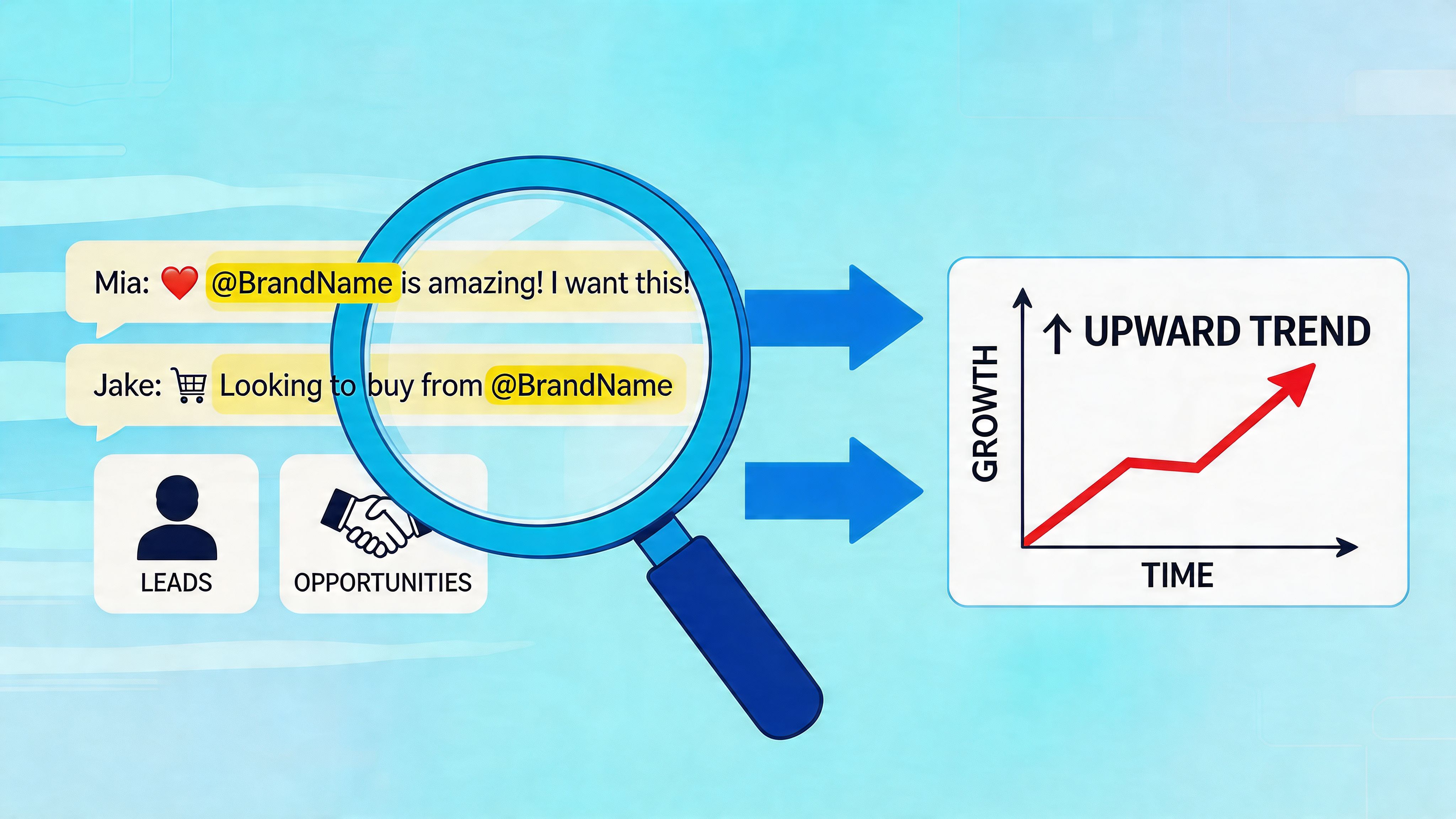
That blind spot is strange when you think about how people research software now. They ask peers for alternatives. They post workflow problems. They compare vendors in comments. They ask whether a tool is worth switching to. Those are not soft awareness signals. They are often commercial moments.
The gap is real. Integration of social listening from platforms like Reddit, X, and LinkedIn for lead generation remains poorly covered, even though 59% of PR practitioners prioritize AI and automation growth, as noted by PRSA’s piece on AI and media relations. The market talks a lot about monitoring. It talks far less about turning that monitoring into pipeline.
What high-intent conversations look like
The easiest mistake is tracking only your brand name. That catches direct mentions, but many valuable conversations never include your company at all.
The better approach is to monitor for language patterns such as:
- Recommendation requests like alternative, best tool for, anyone using, or what do you recommend
- Switching intent where someone is unhappy with a current vendor
- Problem-led questions that match the pain your product solves
- Competitor comparison threads where buyers are actively narrowing options
- Category education posts where a helpful answer can build trust early
These conversations happen in different tones on different platforms. Reddit tends to surface blunt pain and candid comparisons. LinkedIn often reveals buyer language in a more professional frame. X can expose fast-moving reactions and network effects around a category topic. Hacker News can surface technical skepticism that marketing copy never catches.
A practical listening workflow
Social-first public relations software proves its worth. A tool like Mentionkit monitors high-intent conversations across Reddit, X, LinkedIn, and Hacker News, lets teams track keywords and communities continuously, and uses AI relevance scoring so users can sort for the posts most worth handling first.
A working lead-gen workflow usually looks like this:
-
Set keyword groups by intent Build separate monitoring sets for brand terms, competitor names, problem phrases, and recommendation language. Don’t lump everything together.
-
Filter for relevance, not volume A crowded mention stream wastes time. Prioritize posts where the author is clearly asking for help, comparing tools, or describing a pain your product solves.
-
Read the thread before replying Context matters. Some threads reward direct answers. Others punish anything that sounds like a pitch. Good teams adapt their tone to the room.
-
Draft a useful response The goal isn’t to drop a link and leave. It’s to answer the question in a way that would still be helpful even if your product weren’t mentioned.
-
Mark ownership and follow-through Someone should own the reply, note whether it was handled, and watch for follow-up questions.
Teams building this motion often need a more detailed playbook for lead generation from social media, especially when multiple people touch the same accounts or client programs.
Helpful participation beats clever self-promotion almost every time.
What works and what backfires
The teams that get value from this motion usually follow a few rules:
- They answer the question first. They don’t force a product mention into every post.
- They choose fewer, better conversations. Relevance wins over raw mention count.
- They keep tone native to the platform. LinkedIn copy pasted into Reddit usually fails.
- They coordinate with sales and marketing. Otherwise useful signals die in a PR silo.
What backfires is easy to spot. Generic replies. Obvious vendor accounts. Responses that ignore the actual question. Aggressive follow-up in threads that wanted peer advice, not a demo request.
PR software starts acting less like a reporting layer and more like a frontline commercial system. It helps teams find warm intent in public, protect the brand by responding well, and build trust before the prospect ever fills out a form.
Choosing the Right PR Software A Practical Checklist
Buying public relations software gets messy when teams shop by feature list alone. The better way is to test whether the platform fits your operating model, your channels, and your decision speed.
Start with the problem, not the demo
Most demos look polished. The vendor will show clean dashboards, nice charts, and a neat coverage feed. That doesn’t tell you whether the software fits the way your team works.
Ask basic questions first:
- What job needs fixing most right now
- Who will use the platform every week
- Which channels matter to your buyers or stakeholders
- Do you need media outreach, social listening, crisis detection, or all three
- What would make the platform a miss even if it looks strong on paper
A startup founder and an enterprise communications lead should not buy the same way. A digital agency needs multi-client workflow discipline. An in-house brand team may need internal reporting, approvals, and issue escalation. A social team may care more about live conversation detection than journalist database depth.
Evaluate fit across operations, not just features
A tool can be strong in one area and weak in another. That’s normal. The point is to know where compromise is acceptable.
| Evaluation Area | Key Questions to Ask |
|---|---|
| Monitoring coverage | Does it track the channels, publications, and communities that shape our reputation or demand? |
| Relevance and filtering | Can the team separate noise from important mentions without manual sorting all day? |
| Outreach workflow | Does it support contact history, segmentation, personalization, and follow-up visibility? |
| Reporting quality | Can we show outcomes leadership cares about, not just activity logs? |
| Collaboration | Can multiple users assign work, track status, and avoid duplicated responses? |
| Integration | Will it connect to CRM, Slack, email, analytics, or the rest of our operating stack? |
| Usability | Can busy people adopt it without extensive retraining or constant admin help? |
| Scalability | Will the setup still work if the team, client count, or monitoring scope grows? |
Check neighboring tools before you commit
PR software rarely works alone. A lot of teams also need publishing, scheduling, community management, and broader social operations. If your buying process overlaps with those needs, it’s worth comparing adjacent categories too. A practical reference is this guide to best social media management software, which helps clarify where PR tooling ends and full social execution platforms begin.
That distinction matters because some buyers expect one platform to do everything. Very few do.
Trade-offs worth making on purpose
Here are the trade-offs that usually matter most:
-
Depth versus simplicity Enterprise suites often offer broader capability, but they can slow down lighter teams that need quick execution.
-
Traditional media strength versus social-native visibility Some platforms are excellent for journalist outreach but weak on niche social conversations.
-
Reporting polish versus actionability Beautiful reports won’t help much if the team still has to switch tools to respond.
-
All-in-one promise versus stack flexibility A unified suite is convenient. A modular stack can be sharper if your team knows exactly what it needs.
Buy for the decisions your team has to make every day, not for the presentation your vendor gives once.
A good selection process feels less exciting than a flashy demo. That’s a good sign. You’re buying workflow efficiency, not software theater.
Understanding Pricing Models and Implementation
PR software pricing gets messy because vendors sell very different tools under the same label. A media database, a social listening platform, and a broader comms suite can all sit in the “PR software” bucket, even though they solve different problems and create different workloads for the team.
That is why price comparisons break down fast.
A cheaper tool can cost more in practice if it misses the social signals your team needs for brand protection or forces staff to export data into three other systems before anyone can act. A higher quote can still be the better buy if it helps the team catch risk early, route conversations to the right owner, and turn high-intent public posts into outreach opportunities.
What actually drives cost
The bill usually climbs based on a few predictable factors:
-
User access More seats, client logins, approval roles, and restricted views usually push you into a higher plan.
-
Listening volume More queries, broader keyword sets, more brands, and more markets increase cost quickly, especially on social-first tools.
-
Channel coverage Some platforms price aggressively once you add forums, Reddit, review sites, broadcast monitoring, or international sources.
-
Media and outreach data Journalist databases, pitching workflows, and contact exports are often separate from listening and analytics.
-
Integrations and API access Costs rise once you need the platform to feed CRM, BI, support, or incident-response systems.
-
Governance features Agencies and large in-house teams usually pay more for permissions, audit trails, approval flows, and multi-brand structure.
The headline price matters less than the cost of acting on what the tool finds. If your team spots a product complaint on social but cannot assign it, reply fast, or pass it to sales or support, the platform is still only half-implemented.
How to implement without losing the first 90 days
Poor rollouts usually fail for a simple reason. The team sets up monitoring before it decides what action should follow.
Start with one operating goal. For some teams, that is early issue detection. For others, it is finding buying signals in public conversations, such as category questions, competitor complaints, or “looking for recommendations” posts on LinkedIn, X, Reddit, or niche communities. That use case should determine your keywords, alert thresholds, owners, and reporting.
A practical rollout looks like this:
-
Pick one outcome Choose a first win the team can prove. Reduce response time to risk mentions. Surface qualified social conversations for sales. Give leadership a cleaner read on executive sentiment.
-
Build a narrow monitoring set Start with branded terms, executive names, product names, known misspellings, competitor comparisons, and a short list of buying-intent phrases. Broad queries create noise and kill trust.
-
Assign response ownership One person reviews alerts. One person decides whether the item needs PR, support, legal, or sales. That handoff needs to be clear before the first real spike hits.
-
Set action rules, not just alert rules Decide what happens when the platform finds a journalist request, a misinformation thread, or a prospect asking for alternatives to a competitor.
-
Tune weekly Remove junk sources, tighten exclusions, and refine keyword logic based on what the team used.
Presspage’s discussion of PR software features for brand protection is useful here because it frames PR software as part of brand defense, not just media tracking. That is the right implementation mindset in 2026. The teams getting value fastest are the ones using these tools to catch risk early and act inside the conversation, not after the weekly report lands.
If you’re comparing classic media relations suites during that buying process, a practical side reference is this breakdown of Muck Rack’s features, pricing, and competitors. It helps frame what you may gain from a traditional PR platform and what you may still need elsewhere.
Look for an early operational win. One saved escalation. One useful lead passed to sales. One faster response to a reputation issue. That is what gets adoption. Reports alone do not.
The Future of PR is Actionable Intelligence
Public relations software is no longer a side tool for comms specialists. It has become part of how companies interpret public signals, protect reputation, and find commercial opportunities early.
The old model was passive. Monitor coverage. Count mentions. Send a report. That still has a place, but it doesn’t match the speed of modern reputation shifts or buyer behavior. Teams need systems that help them detect weak signals, prioritize what matters, and respond while the conversation is still forming.
That changes where PR sits in the business. Communications doesn’t only support reputation after the fact. It contributes live market intelligence. It sees objection patterns before sales decks change. It spots frustration before support trends make the dashboard. It finds advocates before customer marketing asks for them. It notices category shifts before leadership names them in a planning meeting.
What stronger teams will do next
The teams that get the most from public relations software will treat it as an action system.
They will:
- Monitor social and media environments together, not in separate silos
- Route useful signals across functions, instead of keeping them inside PR
- Use AI to prioritize and summarize, not to replace judgment
- Design response workflows around speed and context, not just reporting cadence
The future advantage isn’t seeing more data. It’s knowing which signal deserves action now.
The category will keep moving toward deeper intelligence. More predictive cues. Better relevance filtering. Better coordination between monitoring, outreach, analytics, and response. The brands that benefit won’t be the ones with the biggest dashboard. They’ll be the ones that build a reliable habit from insight to action.
PR used to be judged by coverage alone. In 2026, the stronger standard is broader. Did your team catch the issue early, join the right conversation, help shape the narrative, and create a business result from the attention you earned?
If you want a social-first way to operationalize that workflow, Mentionkit is built for tracking high-intent conversations across Reddit, X, LinkedIn, and Hacker News, then helping teams review relevance, coordinate responses, and turn warm public intent into qualified opportunities.