
Syften is a simple keyword tracking tool. Add keywords, pick sources, get alerts when people mention your product or category.
I wanted to see how that worked out in practice. I looked at Syften as a user would: setup, filters, alerts, pricing, UI, and the daily work after a mention appears.
My short take: Syften can be useful if you want a filter-heavy alert tool. It gets much less fun when you want a clean workflow for reviewing mentions, replying, assigning follow-up, and reporting what happened.
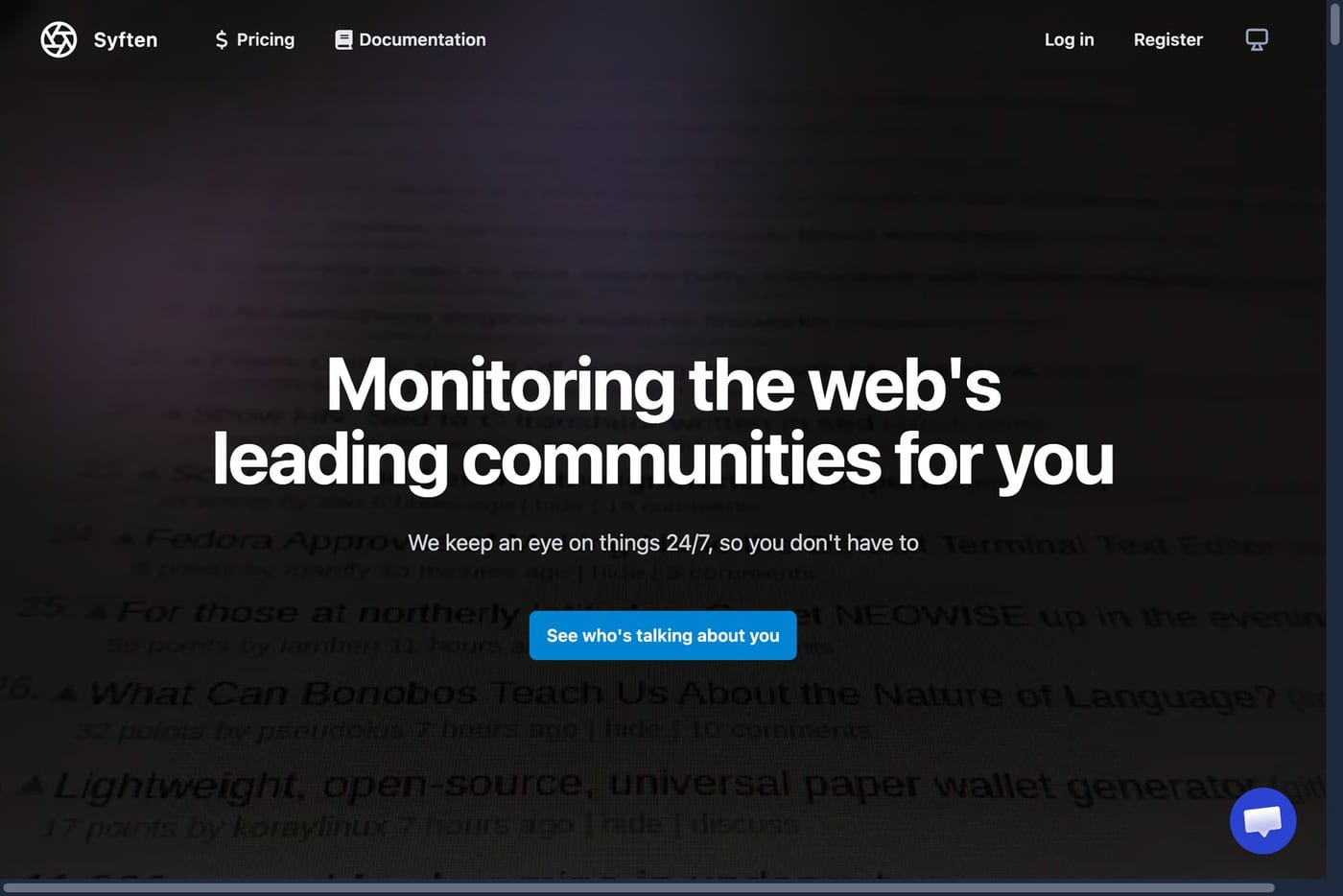
Syften review’s TLDR
- Syften is built around keyword filters and alerts.
- It is strongest for community monitoring.
- The query system is powerful if you like writing careful filters.
- The UI feels old and cramped for a paid 2026 SaaS product.
- Onboarding broke for me after about 5 to 6 minutes of keyword finding.
- The Entry plan is too limited for most serious monitoring work.
- X and YouTube cost extra on Standard and PRO.
- Syften does not support LinkedIn monitoring, which is a big miss for B2B businesses.
- Syften is better for simple alerts than a full mention workflow.
That last point is the real issue. Syften can find mentions. It does much less to help you act on them.
What is Syften?
Syften is a keyword tracking tool for online communities and the web. You create filters, choose sources, and get alerts when matching posts or pages appear.
It can help with:
- brand monitoring
- competitor tracking
- Reddit mention alerts
- Hacker News monitoring
- GitHub and forum mentions
- web page changes
- buyer-intent keyword alerts
The product is aimed at people who want to catch public conversations without buying a large social listening suite.
Many useful conversations happen before someone visits your site. People ask for recommendations, complain about tools, compare options, or mention a pain they need solved.
Syften tries to catch those posts and send them to you.
How Syften works
The basic idea is simple.
- Add keywords or query filters.
- Pick sources such as communities or the web.
- Route alerts to email, Slack, RSS, API clients, webhooks, or MCP depending on your plan.
- Review matches and decide what to do next.
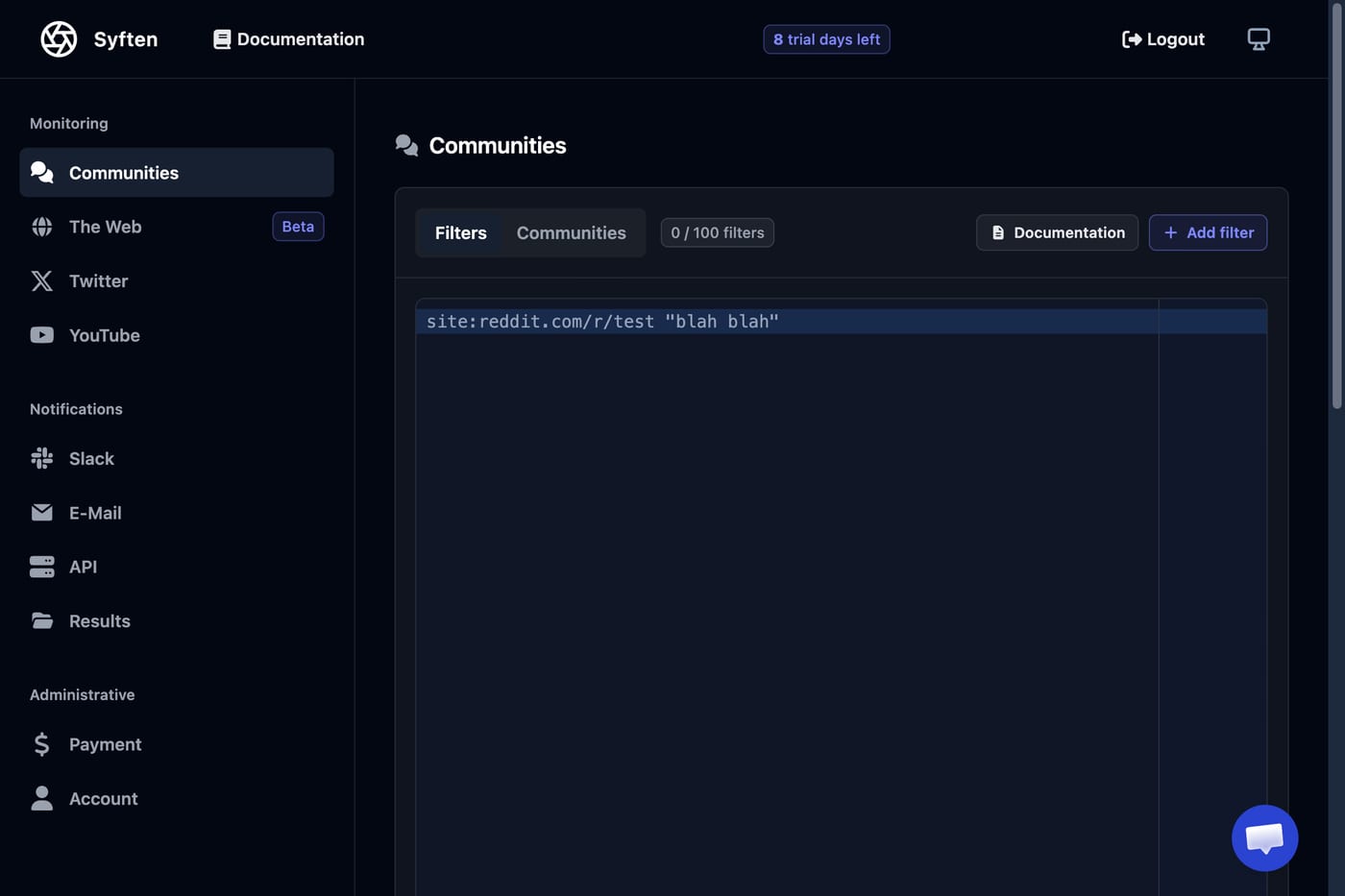
Syften’s documentation shows the product is more flexible than a basic keyword alert tool. You can use exact phrases, exclusions, site filters, author filters, language filters, tags, and AI post-filters.
That sounds really useful. If you know your category well, you can build tight filters and reduce junk.
Unfortuantely in practice, the setup is cumbersome and depends heavily on you. Bad keywords create noisey alerts. Missing exclusions create junk alerts. Broad phrases can flood your inbox. Narrow phrases can miss useful posts.
The setup experience
This is where Syften started to feel rough.
The UI has a dark dashboard feel. It works, but it feels like a control panel for people who already know what they are doing.
Initially they scan your website to give you keyword recommendations(I suppose).Unfortunately the first-run took 5-6 minutes and eventually errored out.
It failed on the Filters step with a generic “Something went wrong” screen. The message said Syften could not finish preparing starter filters. It then asked me to continue and set up filters myself.
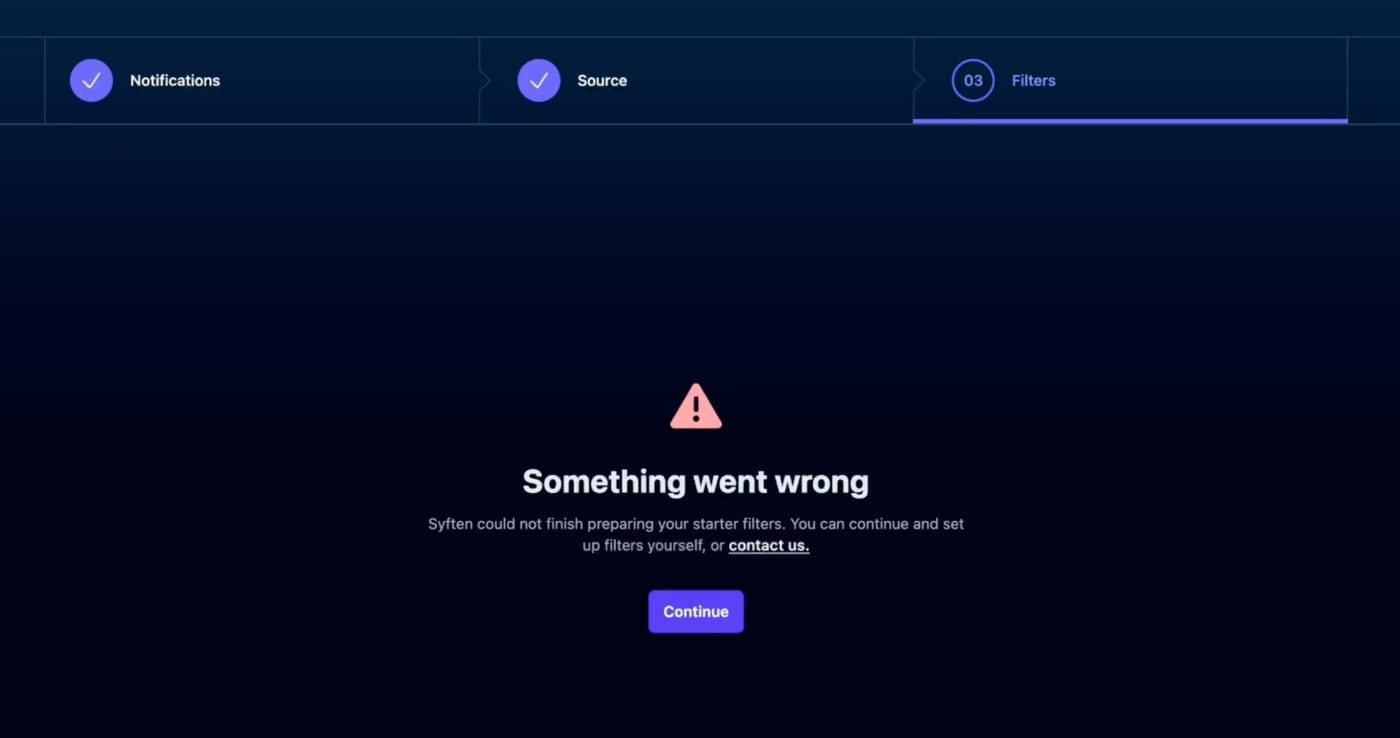
The hard part of Syften are the damn filters. If onboarding promises starter filters, waits several minutes, then fails, the user lands inside the hardest part of the product alone.
It made the product feel more manual than it needed to feel.
What Syften does well
Syften still has real strengths.
If you want to monitor a few exact phrases from various communities and send matches to Slack or email, Syften can do that.
The source coverage is also good for community-heavy monitoring. Reddit, Hacker News, GitHub, forums, and the web are all useful places to watch if you sell to technical buyers, founders, or people who ask for tool advice in public.
But this is also where the coverage gap shows up. Syften does not support LinkedIn monitoring. For B2B businesses, GTM marketers, and product marketers, that is a real miss. LinkedIn is where buyers talk about vendors, launch thoughts, category pain, job changes, peer recommendations, and competitor switching.
That matches how I would use it too.
Where Syften falls short
Syften’s weak spots show up when you want more than alerts.
Like, it can tell you that a mention happened. It does much less to help you handle the mention.
There is no strong review workflow. There is no clear ownership flow. There is no built-in reply drafting flow. Reporting is thin compared with tools built around follow-up.
I also believe it can’t soup up existing mentions for your brand when you start tracking keywords.
The missing LinkedIn support hurts if your market is B2B. Reddit and Hacker News can catch honest technical conversations, but LinkedIn often carries the public GTM conversation: founder posts, customer comments, analyst takes, creator posts, and peer discussions. If LinkedIn matters to your pipeline, Syften leaves a major channel out.
The UI also makes the product feel heavier than it is. When a tool already asks users to think carefully about filters, the interface should make every step feel calm and obvious. Syften often feels cramped instead.
Syften’s pricing is borderline deceptive
Syften starts at $29.95/month, but the Entry plan is very limited. You get 3 community filters, 1 web filter, 5 web results per day, no Slack, no AI filtering, no API, no webhooks, no MCP, and no X or YouTube monitoring.
For most businesses, Standard is the real starting point. It costs $49.95/month and adds more filters, Slack, AI filtering, and API access.
PRO costs $119.95/month and adds webhooks, MCP, more filters, more results, and unlimited archive search.
X and YouTube are paid add-ons. Syften’s YouTube monitoring page says YouTube costs an extra $20/month for each 10 YouTube filters. Syften’s pricing table also marks X/Twitter and YouTube as optional paid support on Standard and PRO.
That means it looks cheap on the outside but once you want to do anything even remotely useful you’ll need to upgrade.
For the full plan breakdown, read the Syften pricing guide.
Syften pros and cons
| Pros | Cons |
|---|---|
| Good for community alerts | UI feels old and cramped |
| Strong filter syntax | Setup asks a lot from the user |
| Slack, RSS, API, webhooks, and MCP options | Entry plan is too limited |
| Useful for Reddit, Hacker News, GitHub, forums, and web mentions | X and YouTube cost extra |
| Good for community-heavy monitoring | No LinkedIn monitoring |
| Good fit for narrow monitoring jobs | Weak workflow after an alert appears |
| Positive public reviews | Onboarding failed during my test |
Who should use Syften?
Syften makes sense if your business wants a simple alert engine and someone is comfortable owning the filters.
Use Syften if:
- you mainly need keyword alerts
- you care about Reddit, Hacker News, GitHub, forums, and web mentions
- you want alerts in Slack or email
- you can write and tune filters
- you do not need a full reply and reporting workflow
Skip Syften if:
- you want keyword recommendations
- you need a clean inbox for reviewing mentions
- you want AI reply drafts inside the workflow
- you need ownership and follow-up
- you need reports showing what was handled
- you need X or YouTube without add-on pricing
- you need LinkedIn monitoring for B2B, GTM, or product marketing work
If you want a broader tool list, read our guide to the top social listening tools in 2026. If you are still learning the category, start with what social listening is.
Syften vs Mentionkit
Mentionkit is built for businesses that want alerts plus action.
You track keywords, review mentions in one feed, use AI drafts as a starting point, assign ownership, and report what was handled.
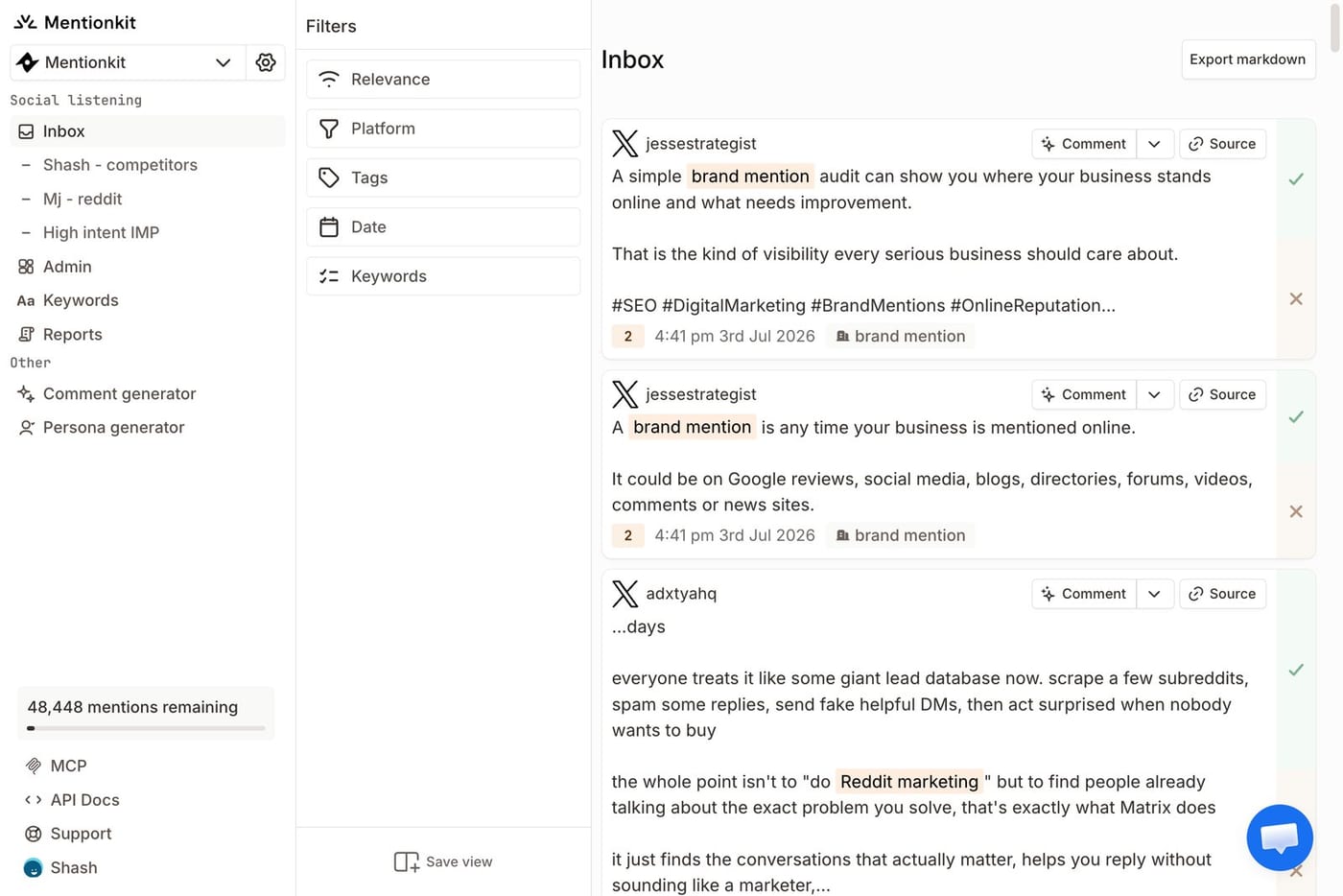
Syften is better if you want simple keyword alerts across communities and the web. Mentionkit is better if you want a social monitoring workflow that goes from mention to reply to report.
Mentionkit also supports LinkedIn monitoring. If you are a B2B business, GTM marketer, or product marketer trying to spot LinkedIn conversations, Mentionkit is the better fit. You can also read the full LinkedIn monitoring tools guide if LinkedIn is one of your main channels.
That is the difference I kept feeling during the review. Syften tracks keyword alerts. Mentionkit is built around the work that happens after the alert.
Conclusion
Syften is useful for simple keyword alerts, but it feels unfinished as a complete social listening tool.
The good parts are the comphrensive community monitoring. The filters are powerful but complex. The email alerts are useful. The source coverage fits community monitoring well.
Unfortunately, the UI is rough. Setup takes effort. Onboarding broke after several minutes of keyword finding. The Entry plan is too limited. X and YouTube cost extra. The workflow after a mention appears is thin.
Use Syften if you want alerts and can manage setting complex filters. Pick a workflow-first social monitoring tool if you want to find mentions, reply faster, assign follow-up, and show what got done.