
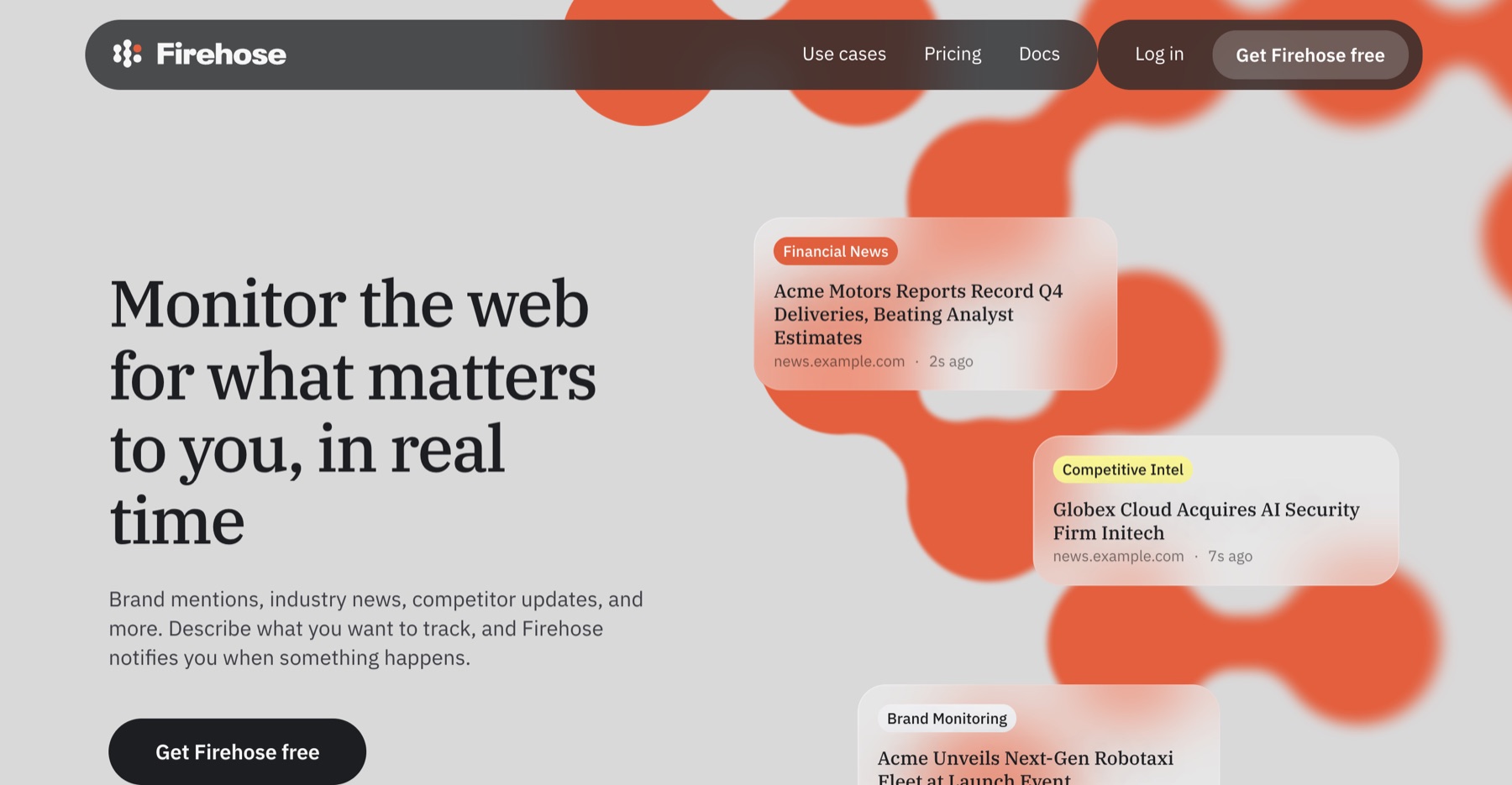
I first found Ahrefs Firehose on Linkedin because it sounded like a better Google Alerts. Tell it what keyword to track, let Ahrefs crawl the web, and get an update when something changes. I was curious right away.
Google Alerts is easy to use, but anyone who relies on it for brand monitoring knows how crappy the results can be. Firehose has the Ahrefs crawler behind it, so I wanted to see whether it could find more useful mentions without turning the job into a technical project.
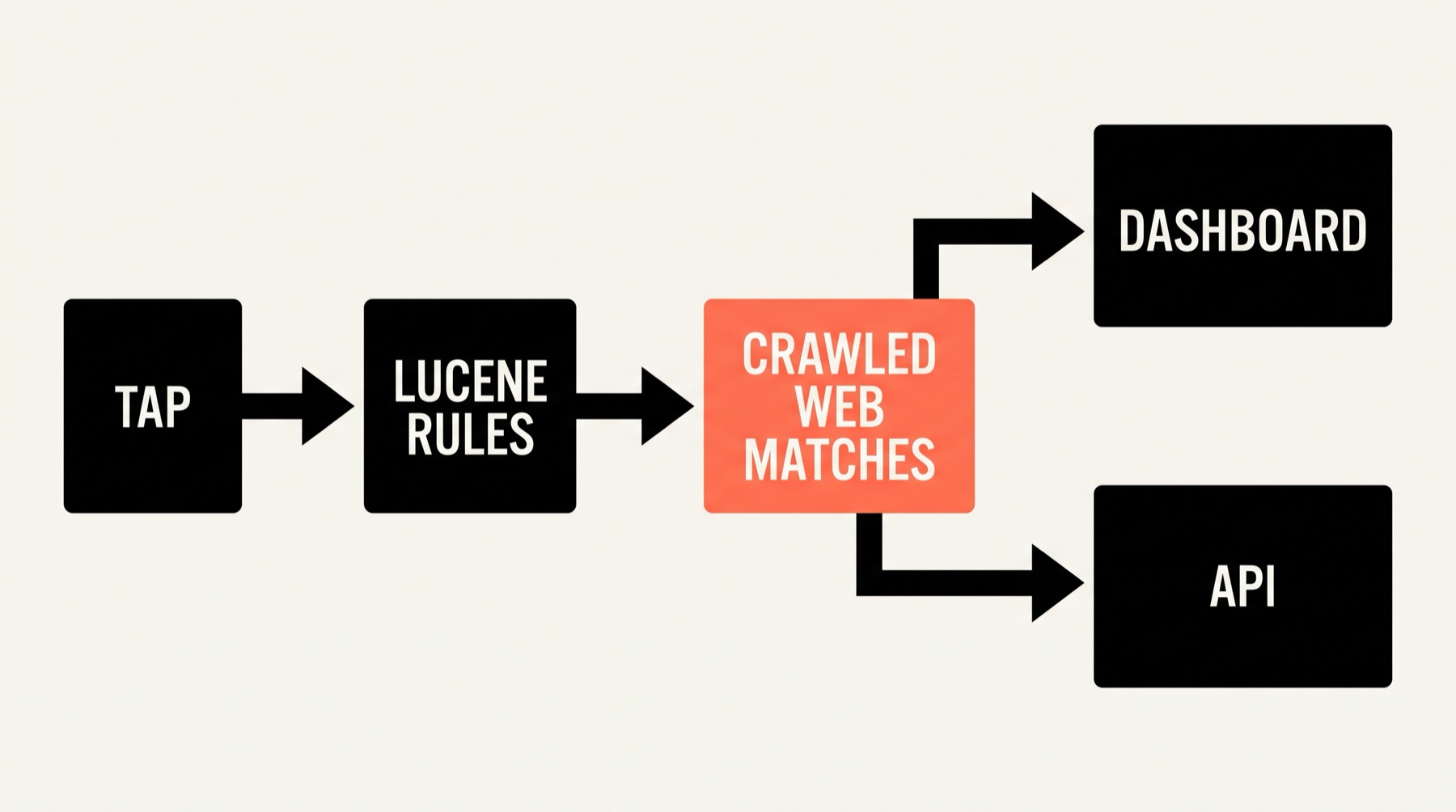
Firehose is all about brand mentions, industry news, and competitor updates. It sounds simple, you write rules, Firehose checks pages as the crawler reaches them, and matching pages arrive in the dashboard or through a live Server-Sent Events(SSE) API stream.
I’m Shash, the founder of Mentionkit. I signed up in July 2026 to test how it fares.
I used “social listening” as my test keyword. I created a tap, worked through the filters, waited for mentions, tried URL Watch, read the API docs, and asked support about backfills.
My first impression was good. Firehose feels polished and support was excellent. Once I started reviewing mentions, though, it felt much more like raw SEO data than a proper social listening workflow.
Signup and dashboard
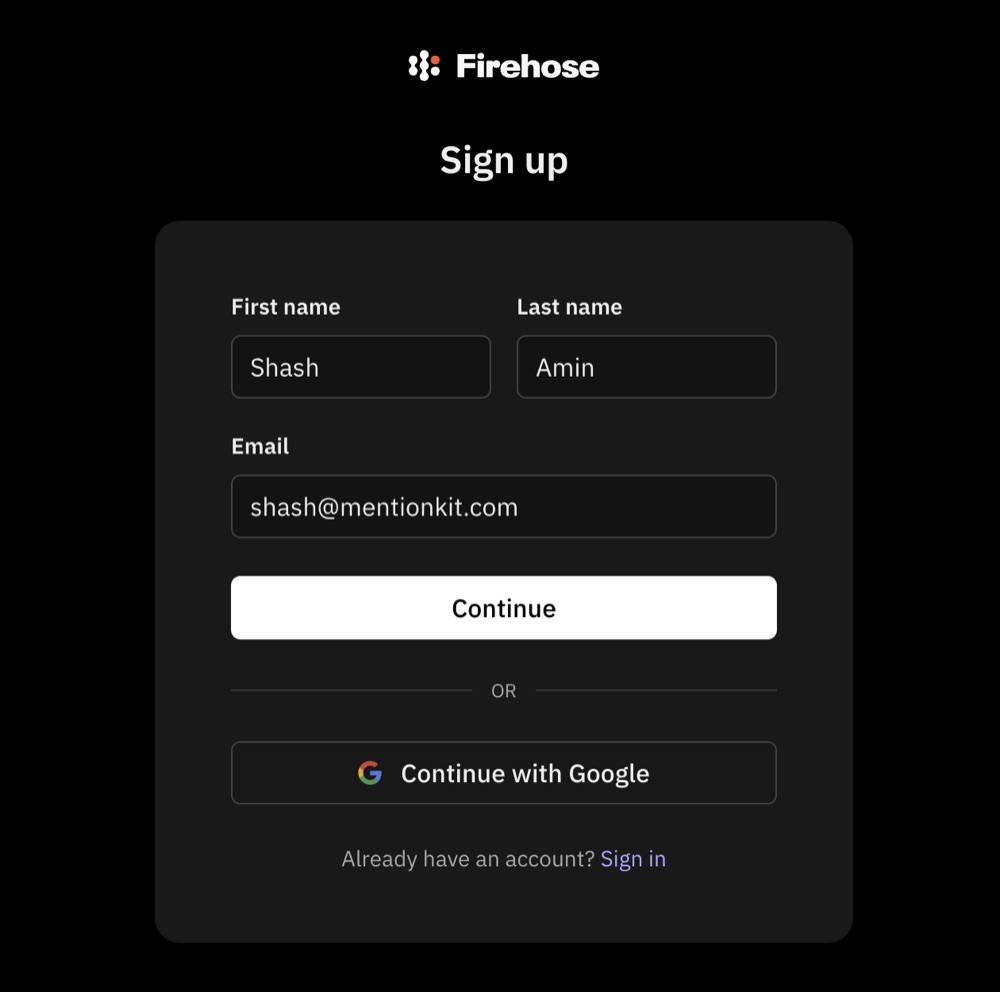
I signed up for Firehose, I entered my name and email, then landed on the dashboard. There was no product tour or long setup wizard, just the dashboard.
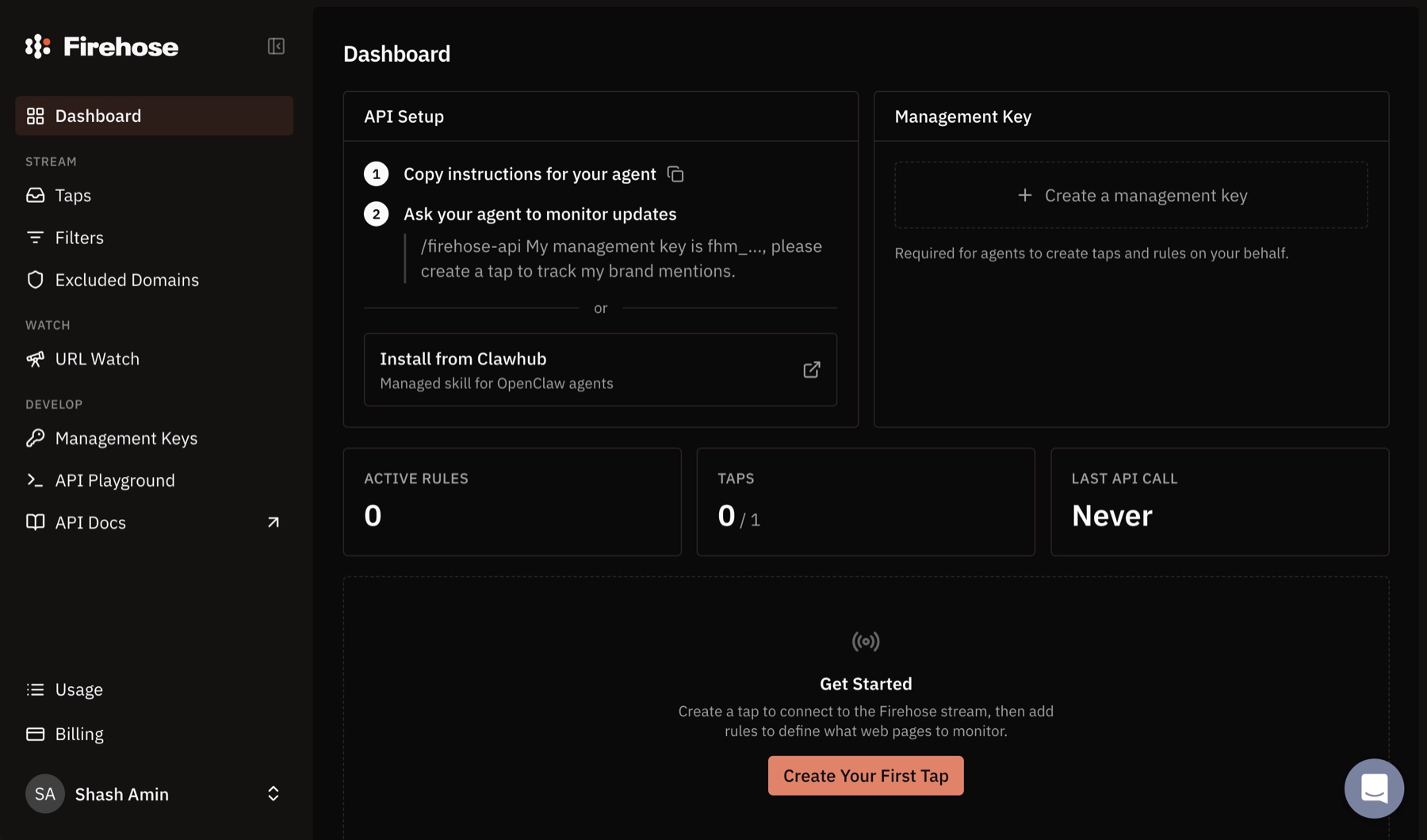
The dashboard also tells you who Firehose was made for. The first panel shows how to connect an AI agent. Beside it is a box for a management key. The menu has taps, filters, excluded domains, URL Watch, an API playground, and API docs.
If you work with APIs, this all feels familiar. If you came from Google Alerts, it is a lot of new language on the first screen, and more technical.
What is a Firehose tap?
A tap is Firehose’s name for the feed you want to monitor. It is roughly the same idea as an alert in Google Alerts or a keyword in a social monitoring tool.
Firehose describes a tap in technical terms. It is an API token with its own rules and live stream. Firehose suggests making one tap for each job, such as brand mentions or competitor news.
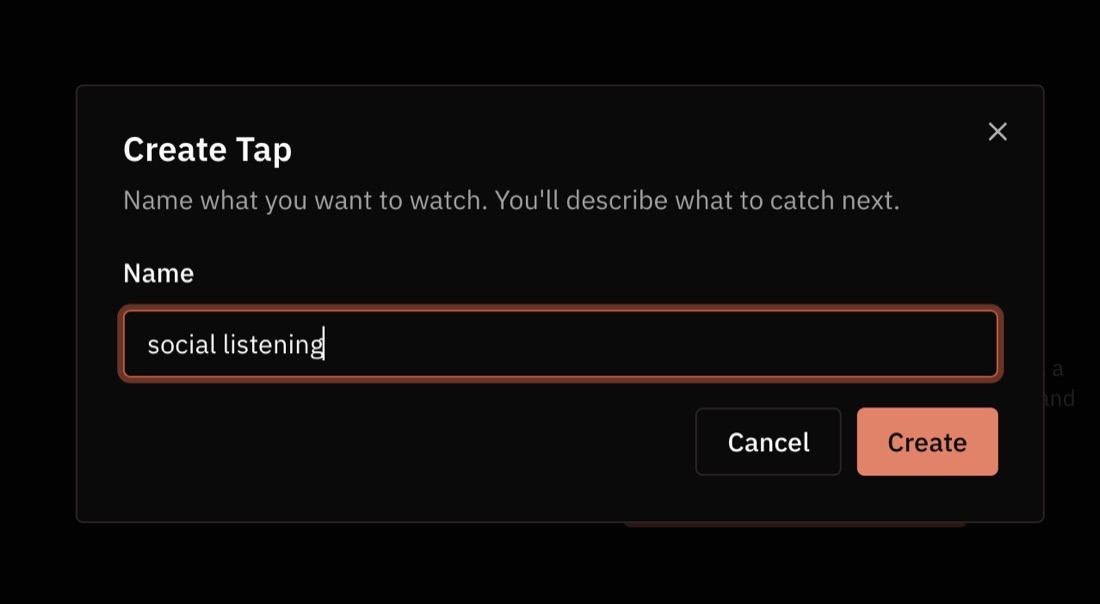
Creating mine was easy. I named it “social listening.”
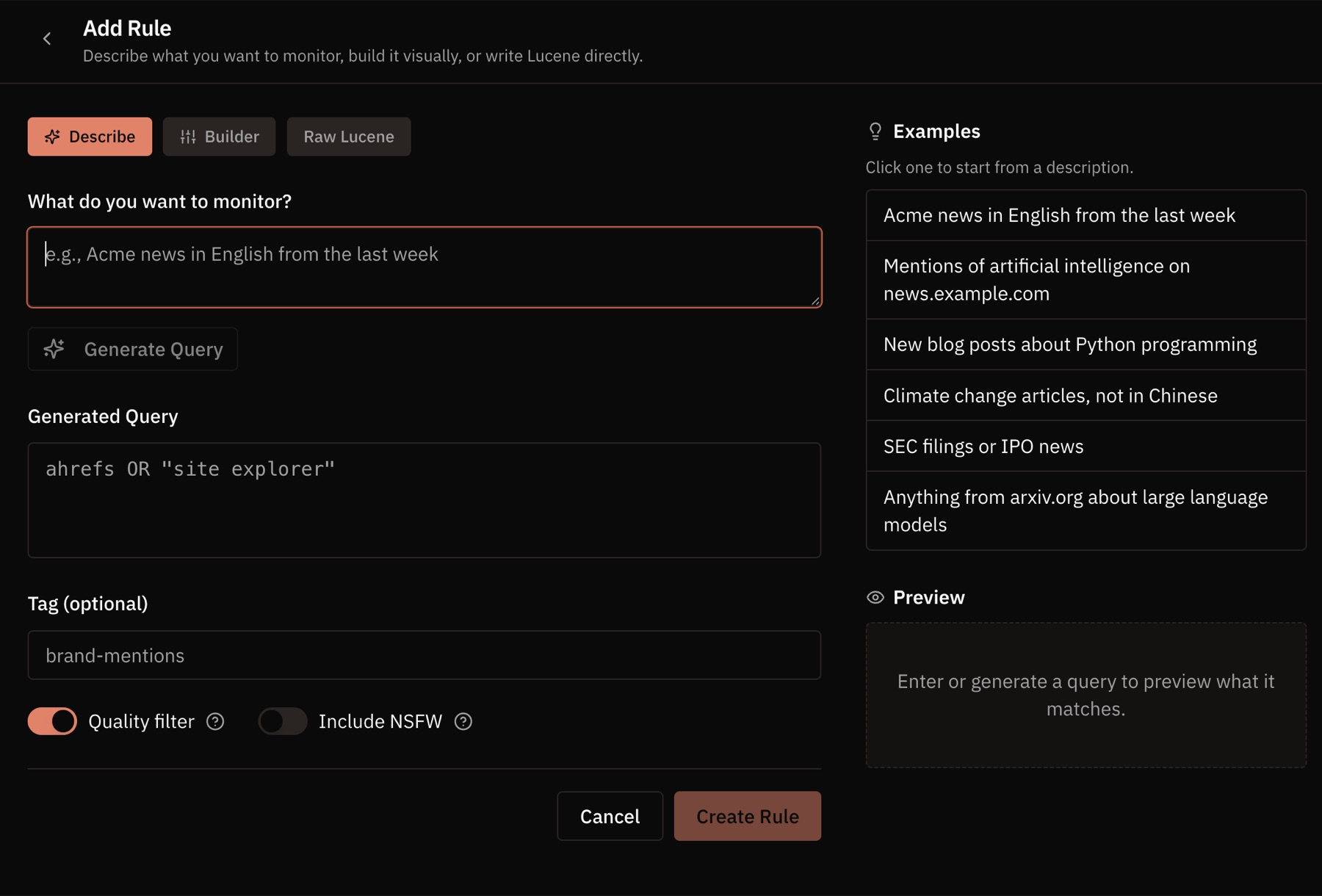
Anyways, I had to add a rule. Firehose gives you three choices:
- Describe what you want in plain language.
- Use the visual query builder.
- Write the Lucene query yourself.
I used “social listening” for the test. Even with the plain-language option, the screen exposed the generated query, tags, a quality filter, an adult-content switch, examples, and a preview. It felt crammed. I could work it out, but a normal marketer should not need to learn query syntax to watch a phrase.
Quick word on Lucene
Lucene is a test searching program/algorithm. If you know how to set it up you can use it during the tap creation process. Although I cannot fathom why they would use such technical jargons. Its like me talking about storing mentions(for Mentionkit) inside MySQL and exposing a query param.
No backfills after setting up a tap
After creating the tap, I expected to see a few older pages that mentioned social listening. The feed was empty.
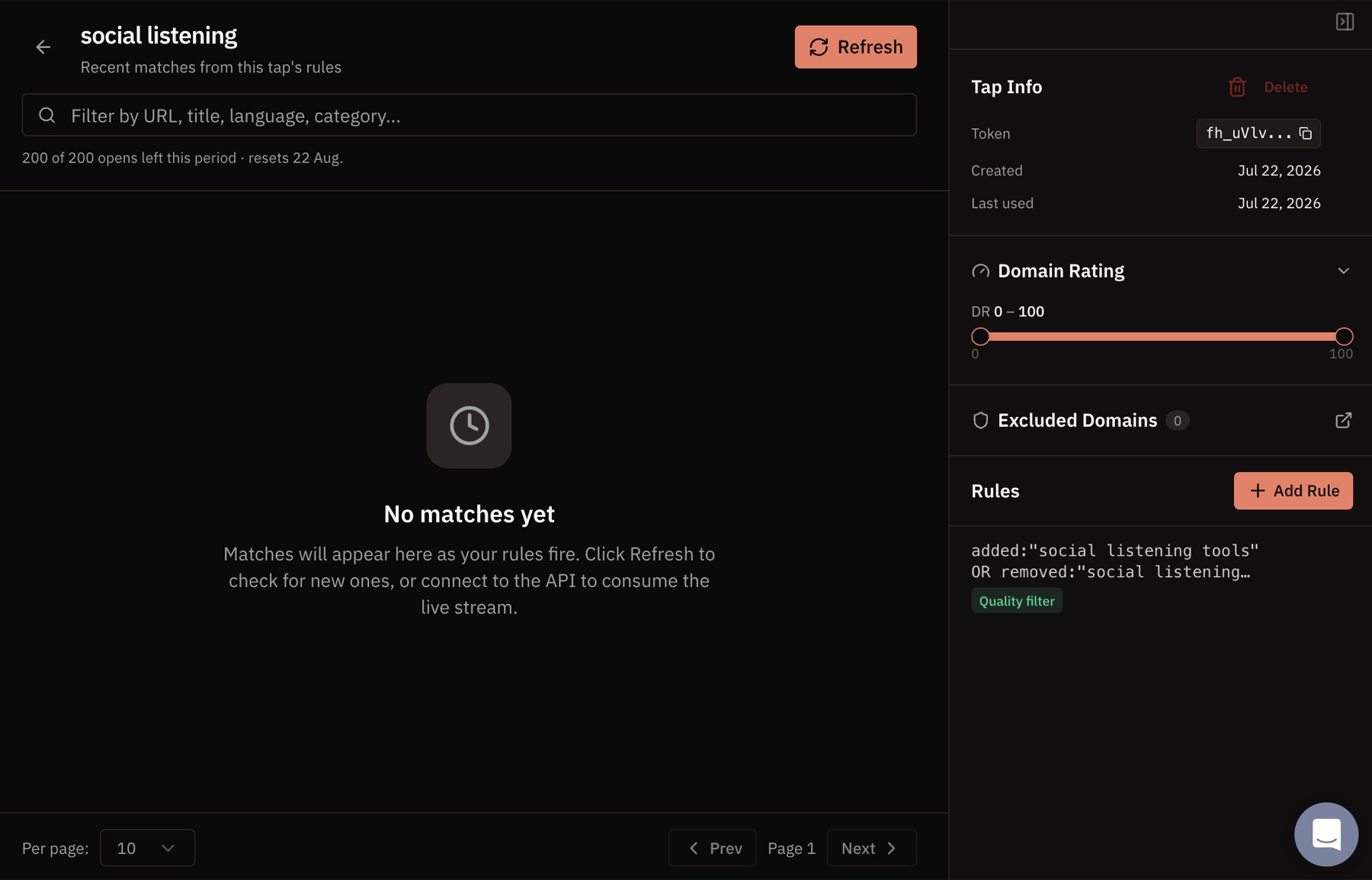
This was a rough start. Old results(commonly known as backfills) help you check two things quickly: whether the keyword works and whether the results are any good. Without them, you set up the tap and wait.
So I asked support whether Firehose could backfill earlier mentions.
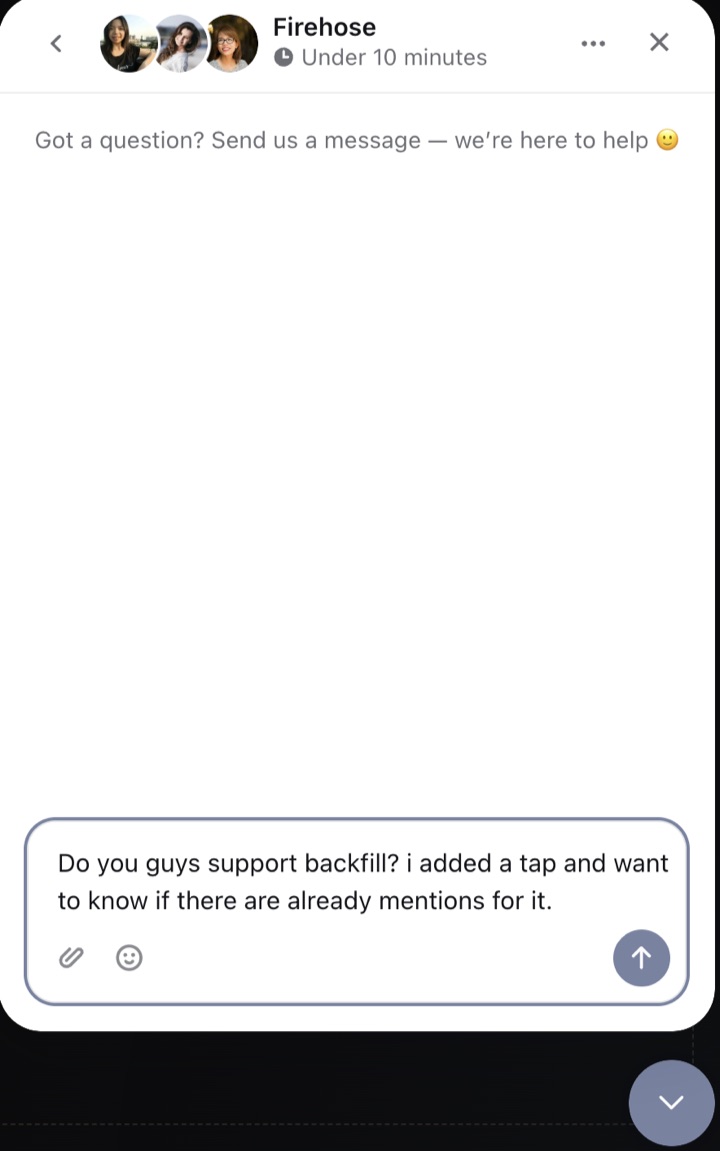
May from Firehose replied in about 10 minutes. She explained that a tap starts sending updates after it is created. There is no historical backfill.
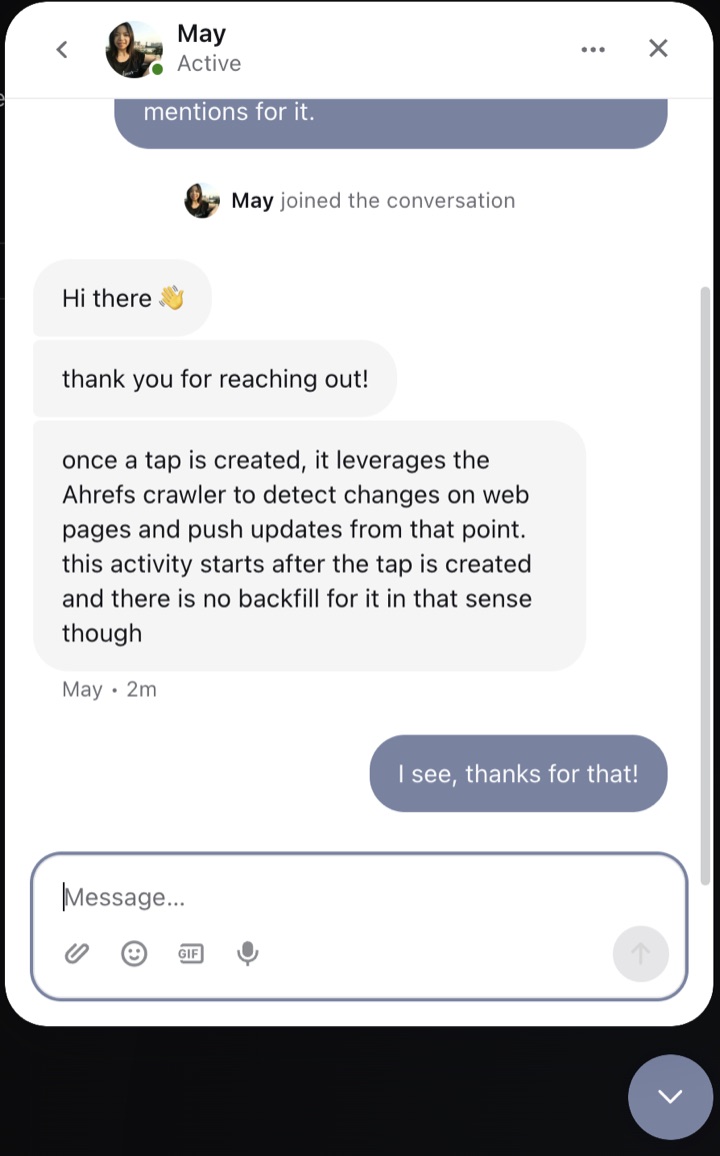
Well that sucks. The support was wonderful though, getting a human support under 10 minutes for a mass market tool is quite surprising, and Firehose deserves credit for it.
My first “social listening” mention
A few minutes later, mentions began to appear. Here’s one of the first cards from my “social listening” tap.
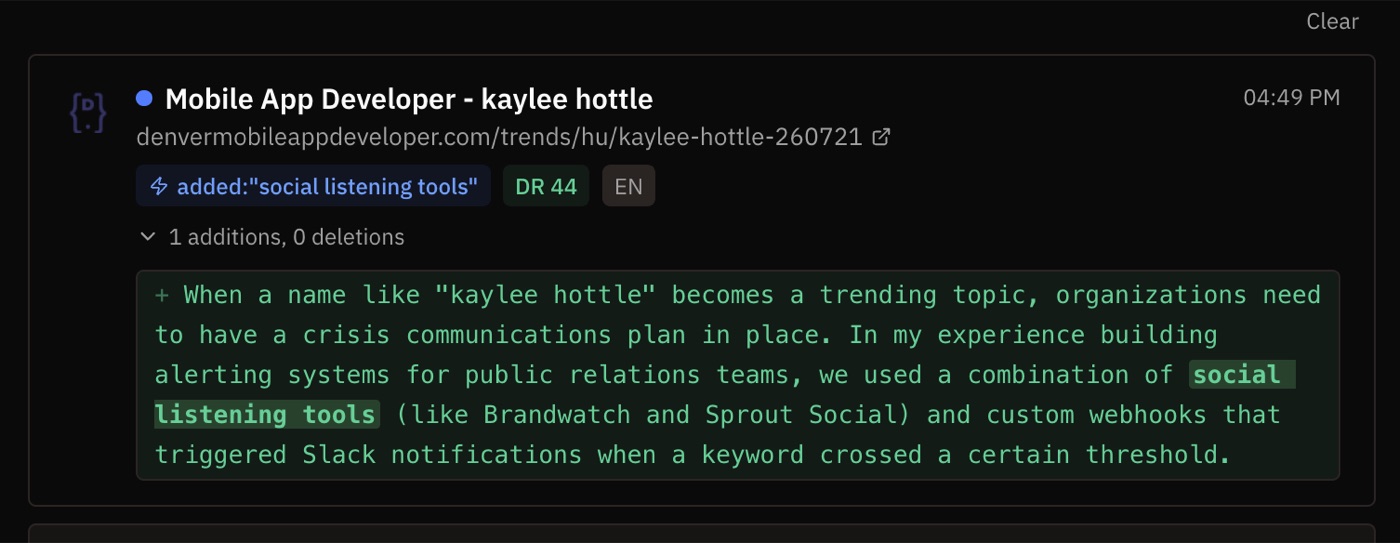
The card had a title, URL, matching rule, Domain Rating, language, and a big block of changed text. The phrase was there, so Firehose had done its job. The page itself looked like low-value SEO content about a person named Kaylee Hottle. I would never use this result for marketing, support, or customer research.
This is the core issue. A keyword match can be correct and still be useless.
It also showns how SEO coded Firehose is. It will show me DR, url, raw text and it very much feels like its made for SEO pros rather than social listening users.
Filters are powerful, but hard to setup
Firehose gives you a lot of ways to tighten a query. Its rules cover added text, removed text, titles, domains, URLs, language, page category, page type, publish time, and Domain Rating. You can join rules with AND, OR, and NOT.
That sounds useful until you have to maintain it. You exclude a bad domain, narrow a page type, set a DR range, add another phrase, and wait to see what slips through next. The filters become a time sink.
Modern social listening and keyword monitoring tools can take a broad keyword and use AI to classify the result. They can work out whether a mention is relevant, what kind of mention it is, and whether a person should read it. You still need filters for obvious limits such as language or a blocked domain. You should not have to build a long query just to remove junk.
Firehose does use machine-made page category and page type labels, but I found no AI based classification in the dashboard. Its quality switch has a narrower purpose. According to the docs, it removes old pages, pagination, tag and category indexes, query-string URLs, and duplicates. It does not decide whether a mention is useful to you.
This might be intentional. Firehose appears to be built as a web data source that you consume through the API. The dashboard introduces management keys and agents straight away. The docs say most integrations use the live stream, and the pricing page has a separate API-only plan.
My guess is that Ahrefs expects developers to take the raw matches, run their own AI classification, and send the useful ones into Slack, a database, or another app. That sounds idea for an infrastructure product. It also explains why the dashboard can feel raw when you use it as a normal social listening tool.
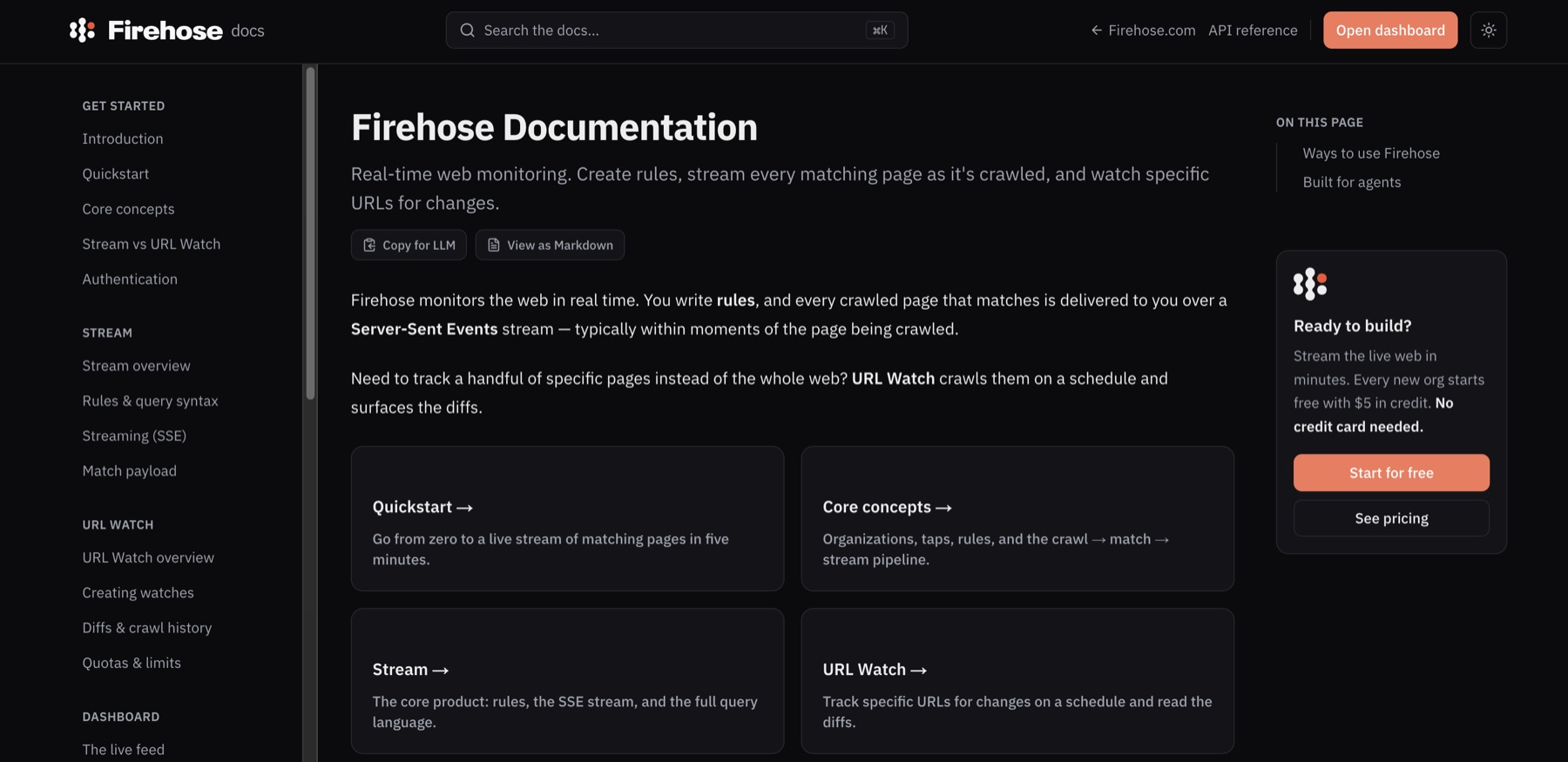
Firehose has robust API docs. It explains taps, rules, Server-Sent Events, match payloads, URL Watch, limits, and code examples. Every page has a Markdown version for an LLM, and Firehose publishes a single API skill file for coding agents.
I could not find a native Firehose MCP server in the official docs. The agent path is an installable API skill plus management keys and tap tokens. Ahrefs has its own MCP product, but that is separate from the Firehose API.
URL Watch worked as expected
URL Watch is a separate part of Firehose. You give it an exact URL, choose how often to check it, and Firehose records a diff when the page changes.
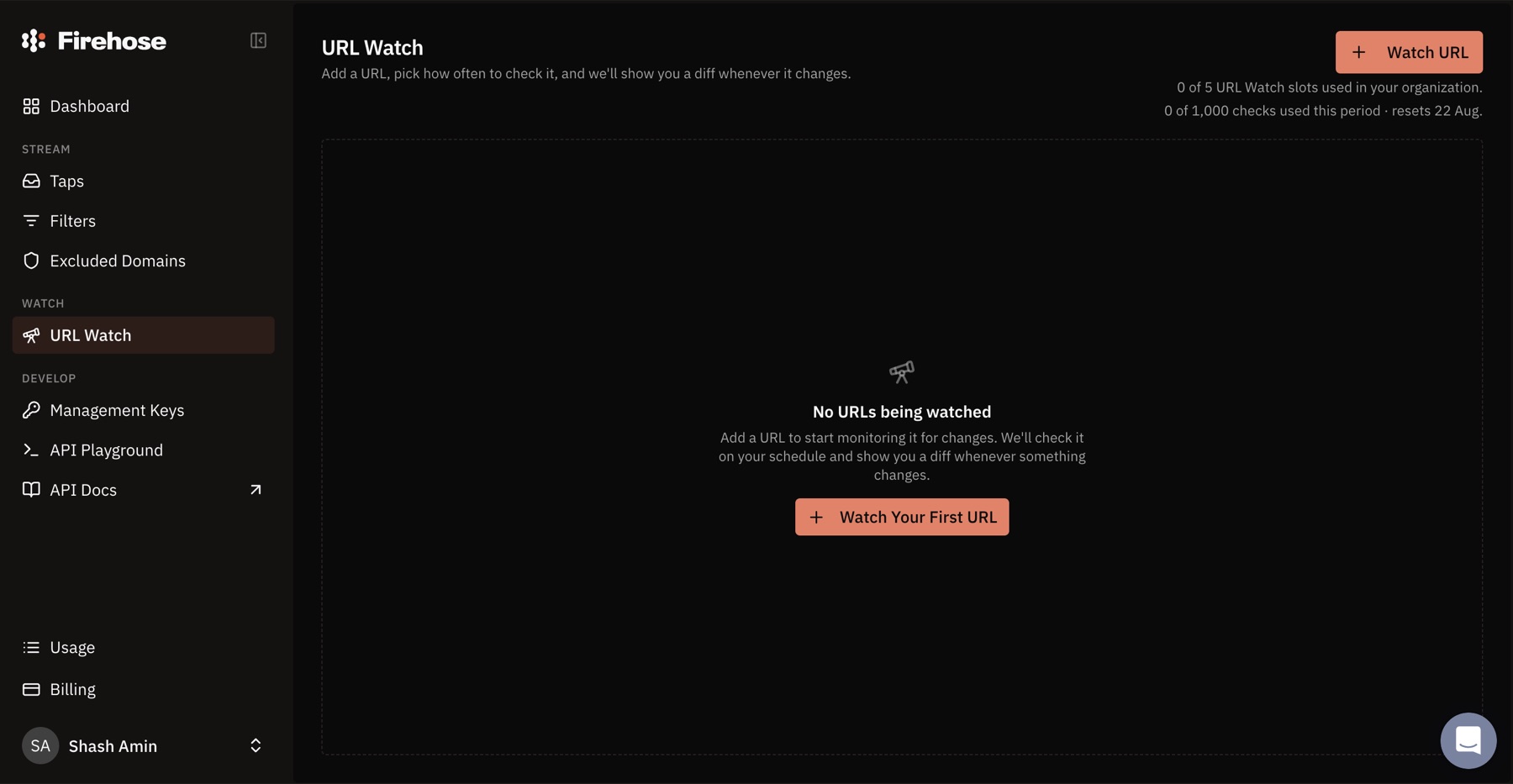
It worked as described. I am simply not the target user. It makes more sense for someone watching a competitor’s pricing page, product docs, policy page, jobs page, or another known URL.
Firehose pricing and features
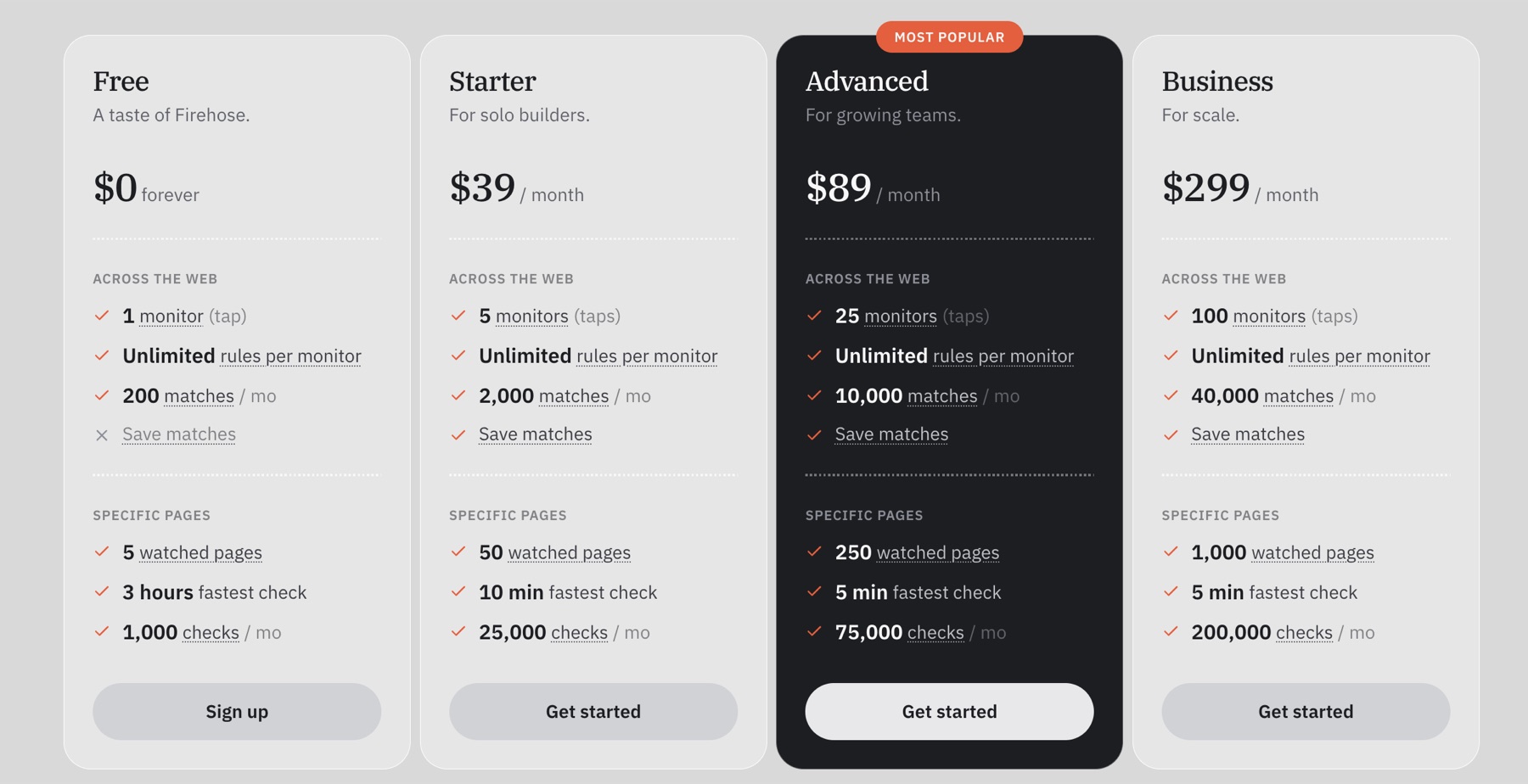
| Plan | Monthly price | Taps | Dashboard matches | URL Watch |
|---|---|---|---|---|
| Free | $0 | 1 | 200 per month | 5 pages, checked every 3 hours at fastest |
| Starter | $39 | 5 | 2,000 per month | 50 pages, checked every 10 minutes at fastest |
| Advanced | $89 | 25 | 10,000 per month | 250 pages, checked every 5 minutes at fastest |
| Business | $299 | 100 | 40,000 per month | 1,000 pages, checked every 5 minutes at fastest |
I checked these prices on July 24, 2026. They say every plan gets unlimited rules per tap. Paid plans can save matches. Free cannot. There is also an API-only option at $5 per 1,000 matches, paid in advance, with unlimited taps and no dashboard or URL Watch.
The pricing seems fair for access to fresh web data. The free plan is a trial in practice. A broad tap can use 200 matches quickly, and you cannot save the useful ones. Regular users will probably move to Starter or pay for the API.
Here is the short version of what Firehose includes.
| Feature | What I found |
|---|---|
| Web coverage | Pages across the open web as the Ahrefs crawler reaches them |
| Social network coverage | No direct platform feeds were documented in the product pages I reviewed |
| Monitoring setup | Taps with one or more Lucene-style rules |
| Historical backfill | No |
| Dashboard | Yes, with live matches, diffs, DR, language, and rule tags |
| AI relevance scoring | No relevance score in the dashboard |
| API access | Yes, including a live Server-Sent Events stream and management endpoints |
| MCP access | No native Firehose MCP server found in the official docs |
| AI agent support | Yes, through Markdown docs, an API skill, management keys, and tap tokens |
| URL tracking | Yes, through URL Watch with scheduled checks and stored diffs |
| Human support | Yes, with a reply in about 10 minutes during my test |
| Best suited to | SEO users, developers, agents, and custom monitoring pipelines |
Is Ahrefs Firehose really a Google Alerts alternative?
For a developer, yes. Firehose can watch much more than a simple phrase, send matches as soon as the crawler sees them, and feed the results into your own software. It is a strong starting point for a custom monitoring system.
For the average Google Alerts user, it asks for too much work. Google Alerts gives you a search box and emails. Firehose gives you taps, rules, Lucene fields, streams, quotas, and API keys. You are expected to finish part of the workflow yourself.
To be clear I find Google alerts simply useless, and this is a much better alternative anyways, just by existing in this space.
Conclusion
Let me just say - Firehose is very well made. The dashboard is snappy, URL Watch does its job, API docs are clear, and the support was far better than I expected. The lack of backfill sucks, and unscored mentions create a lot of unnecessary noise.
I would use Firehose when I wanted raw web changes for an SEO project, an agent, or software I was building. I would not pick it for a social media manager who needs to find useful mentions, understand them, and act on them every day as part of their core workflow.
Lastly, if you want a social monitoring tool that finds relevant brand mentions and gives you a repeatable way to review and respond, try Mentionkit. We do backfills, use AI to classify mentions and have a whole host of features to get you important mentions on a daily basis to you. Or you can also compare simpler options in our guide to the best Google Alerts alternatives for social and brand monitoring.