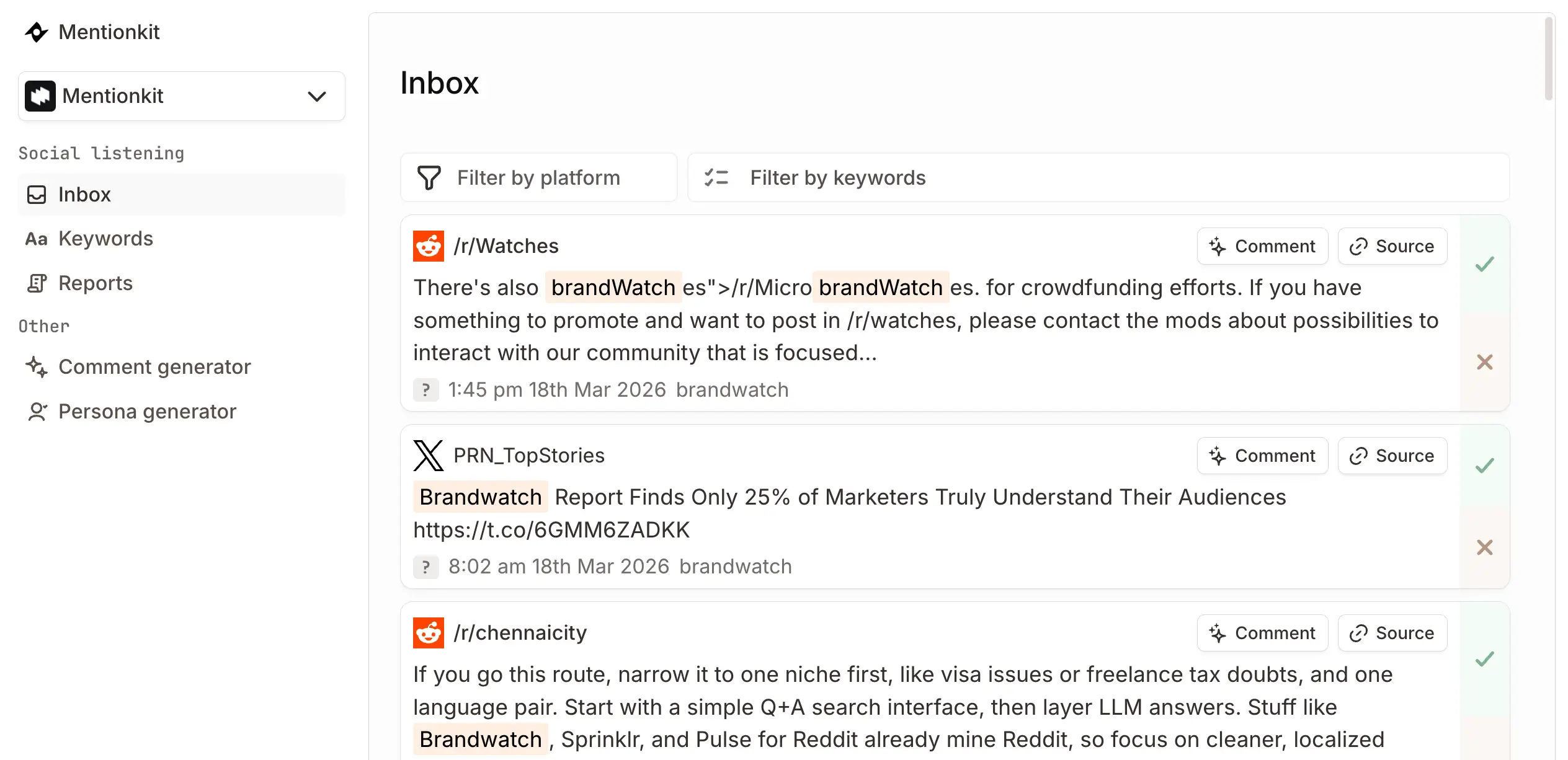
Built for AI agents and product teams

Real-time social listening API

Search, monitor and classify public conversations across LinkedIn, Reddit, X, TikTok, YouTube and the wider social web.

Mentionkit gives your agent or app structured mention data without making you build and maintain a separate collector for every platform.

A social media monitoring API built for agents

Give an agent the context it needs to find useful conversations, rank the signal, and return the source data for review.

  1. Collect public mentions. Track brand names, competitors, buyer questions, and category terms across supported sources.
  2. Filter the feed. Query by project, platform, keyword, date, relevance score, and classification tags.
  3. Send the data where it belongs. Pull JSON through the API or route new matching mentions to your webhook.

The same workflow can act as a brand monitoring API, brand mentions API, or mention tracking API. Your app decides what happens next.

Useful fields for search, monitoring, and classification

Each API response gives your workflow the mention text and the context needed to sort it.

  • Source context: Platform, author handle, source time, post ID, and captured text.
  • Tracking context: Project name and ID, matched keyword, and Mentionkit mention ID.
  • Signal context: Relevance score and tags for positive, negative, comparing, alternatives, promotional, and insight mentions.
  • Workflow context: Review status, generated comment, cursor, and sort order.

Use this social listening data API to power an internal dashboard, enrich a CRM record, prepare an agent brief, or keep a customer support queue current.

How the real-time social media monitoring API works

Mentionkit watches for your keywords on an ongoing schedule. Timing depends on the source.

  1. Add the terms you care about. Start with your brand, competitors, and clear buyer-intent phrases.
  2. Let Mentionkit monitor supported sources. New public matches flow into one mention feed and receive relevance data.
  3. Pull or receive new data. Query the REST API when your app needs it, or use a webhook after scheduled monitoring runs.

Webhook delivery is not an instant firehose. Monitoring times vary by platform, and backfilled mentions do not trigger webhooks.

Choose REST API, webhooks, or MCP

Use one connection or combine them around your workflow.

  • REST API: Best when your app needs filtered queries, pagination, and predictable JSON responses.
  • Webhooks: Best when your server should receive new mentions after a monitoring run.
  • MCP server: Best when an AI agent should inspect, shortlist, and work with mention data through a context-first flow.

Start with the API overview, then open the mentions endpoint and webhook guide when you are ready to connect.

Social listening API FAQ

Clear answers about coverage, delivery, filters, authentication, and AI-agent access.

What can I build with the Mentionkit social listening API?

You can build brand monitoring dashboards, lead alerts, research tools, support queues, and AI-agent workflows on top of Mentionkit mention data.

Use the REST API to fetch data, or use webhooks to send new mentions into your system after a monitoring run.

Which social platforms can I monitor?

Mentionkit monitors public conversations across LinkedIn, Reddit, X, TikTok, YouTube, Bluesky, Hackernews, GitHub, and more supported sources.

Coverage and monitoring times vary by platform.

Is this a real-time social media monitoring API?

Mentionkit runs ongoing monitoring and can send new matching mentions to your webhook after a scheduled platform check.

Delivery is not an instant firehose. Monitoring times vary by platform, and backfilled mentions do not trigger webhooks.

Can I filter and classify brand mentions?

Yes. Filter mentions by project, platform, keyword, category, date, relevance score, and tags such as positive, negative, comparing, alternatives, promotional, and insight.

Each result includes structured fields you can pass to your own model or workflow.

How do AI agents connect to Mentionkit?

Agents can call the REST API with a Bearer token and work with the returned JSON.

You can also connect the Mentionkit MCP server when your AI client supports remote MCP over HTTP.

How do I authenticate API requests?

Pass your Mentionkit API key in the Authorization header as a Bearer token.

You can find the key in your Mentionkit API key and webhook settings.

Build your first mention workflow

Add your keywords, collect public conversations, and connect the data to your agent or app.